
MainsailOS Download: Klipper, Moonraker and Mainsail on a Raspberry Pi or Orange Pi
The ready-made Klipper system image, with the newest version and every board’s file checked live
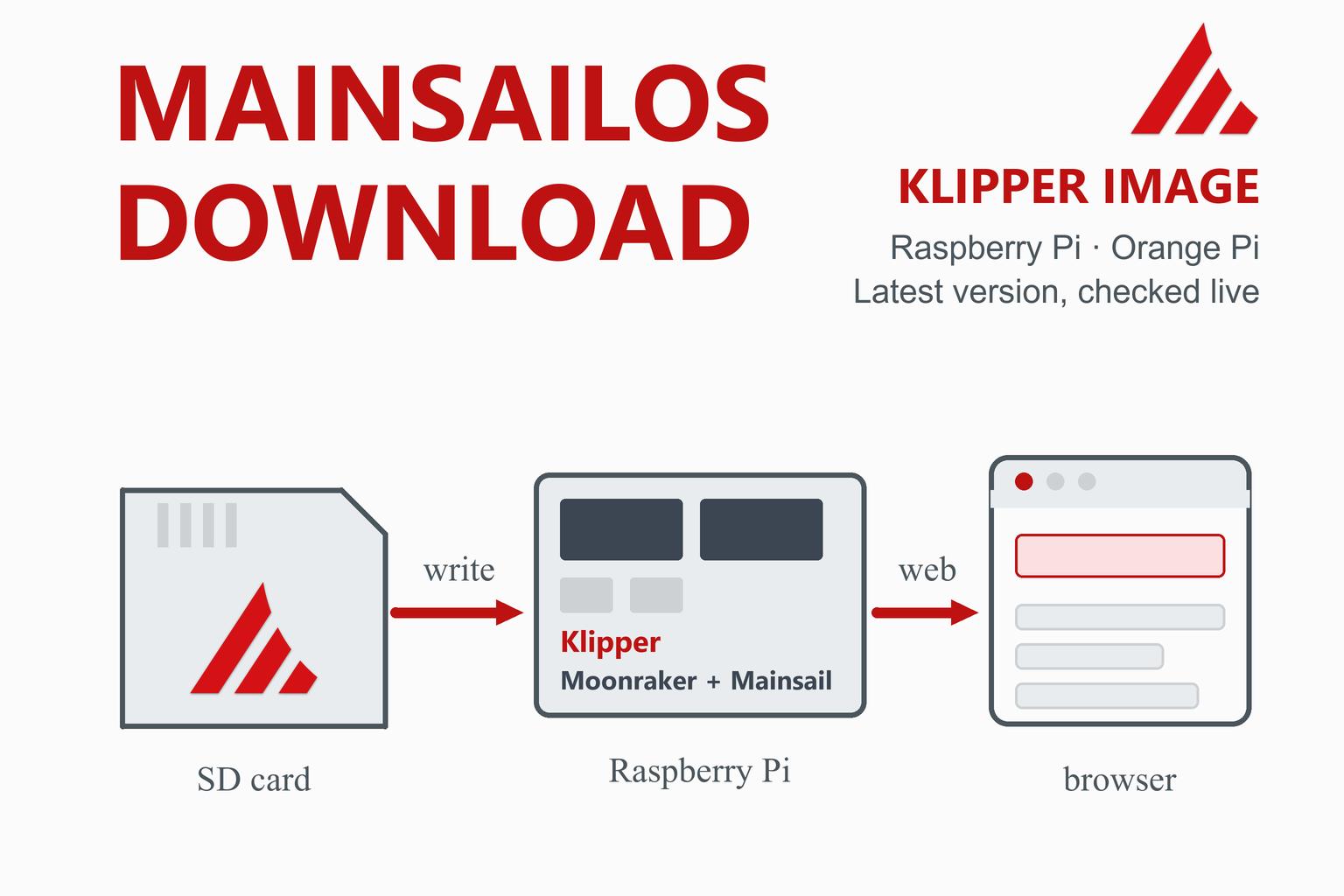
MainsailOS is a prebuilt system image for single-board computers that already contains Klipper, Moonraker and the Mainsail web interface, so you can go from an empty SD card to a Klipper web interface without installing each part by hand. This page checks GitHub when you open it and lists the current image for each supported board with its size and SHA-256 checksum. Below it explains which image to choose, how to write it with Raspberry Pi Imager, what you see on first boot and what is still left to do: the printer configuration file and the firmware on your control board.
Latest Versions and Images
| Part | Latest version | Published | How you get it |
|---|---|---|---|
| MainsailOSThe ready-made system image with Klipper, Moonraker and Mainsail | Check on GitHub | — | — |
| MainsailThe web interface (already inside MainsailOS) | Check on GitHub | — | — |
| Raspberry Pi ImagerThe tool that writes MainsailOS to the SD card | Check on the Raspberry Pi site | — | — |
MainsailOS images by board
How this box works
- It is live. Each visit asks GitHub for the newest stable MainsailOS release and its image files, for the newest Mainsail web interface and for the latest Raspberry Pi Imager. Your browser keeps the answer for ten minutes; the Refresh button asks again straight away.
- You normally let Raspberry Pi Imager download the image for you. Imager has MainsailOS in its own menu (see the install steps). The files are listed here for people who prefer to download an image themselves, and they are compressed (.img.xz), which Imager can write directly.
- The checksums let you verify a download. Each image shows the SHA-256 that GitHub computed.
- Only addresses on each project’s own GitHub release path are linked. If GitHub cannot be reached, the box falls back to plain links.
What Is MainsailOS?
The MainsailOS documentation describes it as a prebuilt image for single-board computers that already includes Mainsail, Moonraker and Klipper. It adds the required software on top of the existing base image for your board, so it is not a full distribution like Debian or Ubuntu, and the documentation notes that it is not an “all in one” solution for every use case. On a Raspberry Pi the base is Raspberry Pi OS; on the other supported boards it is Armbian.
| Part | What it does |
|---|---|
| Klipper | The 3D printer firmware: the host program that plans the motion. See the Klipper install guide for how the parts fit together. |
| Moonraker | The API server between Klipper and the web interfaces. |
| Mainsail | The web interface you open in a browser to run the printer. |
| Crowsnest | A webcam daemon for streaming one or more cameras. |
| Sonar | A keepalive daemon that helps keep the Wi-Fi connection stable. |
| Timelapse plugin | A Moonraker plugin for timelapse videos. |
| Input shaper dependencies | The Python packages needed for measuring resonances are preinstalled. |
| Nginx | The web server and reverse proxy that serves the interface. |
The project is released under the GNU General Public License v3, as listed on GitHub. UART serial is enabled by default in the images, and the python3-serial package is included for Katapult flashing.
Which Image Should I Use?
| Your board | Image | Notes |
|---|---|---|
| Raspberry Pi Zero 2, 3, 4 or 5 | Raspberry Pi, 64-bit | The recommended image. The documentation recommends the Zero 2, 3 or 4, and says the Pi 5 is supported but not recommended with webcams. |
| Older Raspberry Pi (1 and 2) | Raspberry Pi, 32-bit | Imager marks it deprecated; use the 64-bit image wherever your board allows it. |
| Orange Pi Zero 2, Zero 3, 3 LTS or 4 LTS | The image named for your board | These are Armbian-based. Use the file for your exact model. |
| Another board | Not covered | The documentation lists the supported and planned boards. For other Debian-based boards, the KIAUH route in the Klipper install guide works instead. |
What You Need
- A supported board. For a Raspberry Pi, the documentation recommends the Zero 2, 3 or 4.
- A microSD card of at least 16 GB, with 32 GB or more recommended. The guide strongly recommends a card of class A1 or better from a reputable maker. Flashing erases everything on the card.
- A card reader and Raspberry Pi Imager on your computer.
- A power supply for the board, a USB cable to your printer’s control board, and your Wi-Fi details or an Ethernet cable.
- A printer that runs, or will run, Klipper. The control board needs Klipper firmware (see below).
Install MainsailOS Step by Step (Raspberry Pi)
These steps follow the MainsailOS documentation for a Raspberry Pi. The Orange Pi guides differ in some details, so use the documentation’s page for your board if you have one.
- Prepare. Put the microSD card in the reader, connect it to your computer and start Raspberry Pi Imager.
- Choose the device. Select your Raspberry Pi model and choose Next.
- Choose the OS. Open Other specific-purpose OS, then 3D printing, then Mainsail OS, and pick the image. Newer boards show one recommended version; older ones also show the deprecated 32-bit image.
- Choose the storage. Select the correct card, then Next.
- Customise. Set a hostname (it defaults to
mainsailosif you leave it empty), your location, time zone and keyboard layout, the user, your Wi-Fi name and password, and turn on SSH. The documentation gives the default user aspiwith the passwordraspberryand recommends changing the password. - Write. Review the summary, choose Write and confirm that you want to erase and write the card. Wait for the completion message, then remove the card.
Writing a card erases it. Everything on the card you select is overwritten, so double-check the storage choice before you confirm.
First Boot
- Insert the card and power up. The first start expands the file system, and the larger the card the longer it takes. The documentation says it can take up to 5 minutes on slower boards such as the Pi Zero 2 and the Pi 3 series. On a Raspberry Pi, the green LED flashes with card activity and settles down to an occasional flash when the process is probably done.
- Open the interface. In a browser on the same network go to
http://mainsailos.local(orhttp://mainsailos), or to the hostname you chose. If the name does not work, use the board’s IP address, which you can read in your router’s device list. - Update everything. Open the Machine page in the sidebar. The Update Manager is at the bottom right: choose Update all components and wait. The documentation recommends this before you use the system, because it cannot guarantee that the software on the image is current.
After the First Boot: Configuration and Firmware
MainsailOS gives you the software, but Klipper still needs to know about your printer, and your printer’s control board needs Klipper firmware. Two things are left:
- Add a
printer.cfg. The image includes none, so at first Klipper reports “Unable to open config file printer.cfg”. Look for a configuration from your printer’s community project, the vendor files in the Klipper repository or a generic template whose name starts withgeneric-. Upload it on the Machine page (or drag it into the config panel), make sure the file is named exactlyprinter.cfg, and choose Firmware Restart. - Flash the control board and set its serial path. The documentation states that your printer board must be flashed with Klipper firmware, and its serial path must be set in the configuration. The steps for building and flashing the firmware are in the Klipper install guide.
- Clear the remaining warnings. After Klipper starts you may see further warnings. Adding
[include mainsail.cfg]at the top ofprinter.cfgand choosing Save & Restart should clear them, according to the documentation.
Check every step before you heat or move anything. A wrong configuration can damage a printer. Work through the checks in Klipper’s own documentation first: temperatures, heaters, endstops and motor directions, then homing.
MainsailOS, KIAUH or OctoPi?
| MainsailOS | KIAUH on your own image | OctoPi | |
|---|---|---|---|
| What you write to the card | A ready-made image with Klipper, Moonraker and Mainsail | A plain Raspberry Pi OS Lite, then you run the installer | An image with OctoPrint, which also has a Klipper variant |
| Effort | Lowest for Klipper with Mainsail | More steps, more control | Low for OctoPrint |
| Boards | Raspberry Pi and several Orange Pi boards | Any supported Debian-based board | Raspberry Pi |
| Choice of interface | Mainsail | Mainsail, Fluidd or others | OctoPrint |
The Klipper install guide explains the KIAUH route and how the parts fit together. If your printer runs Marlin and you simply want a web interface, OctoPrint is the shorter road; for Marlin firmware itself see the Marlin download and flash guide.
What’s New in MainsailOS 3.0.0
Version 3.0.0 was published on 6 May 2026. Its file names show that the images are now based on Debian Trixie. The release notes list, among others:
- Support for cloud-init in the image configuration, with a pre- and post-rename flow.
- A switch of Crowsnest to its v5 branch.
- Klipper adjustments for Trixie (the numpy and libatlas packages) and fixes for building Python wheels on 32-bit images.
- Raspberry Pi user, SSH, getty and passwordless sudo configuration for Trixie.
- Updated device-tree overlays for SPI, I2C and UART on several Orange Pi boards.
Troubleshooting
| Problem | What to try |
|---|---|
| mainsailos.local does not open | Wait the full first-boot time (up to about 5 minutes on slower boards). Try http://mainsailos or the hostname you chose, or open the board’s IP address from your router’s device list. Check that your computer is on the same network. |
| “Unable to open config file printer.cfg” | That is expected on a fresh image. Upload a printer.cfg named exactly that, then choose Firmware Restart. |
| Klipper cannot find the control board | The board needs Klipper firmware and its serial path set in [mcu]. See the Klipper install guide for building, flashing and finding the serial path. |
| Warnings after Klipper starts | Add [include mainsail.cfg] at the top of printer.cfg and choose Save & Restart. |
| Software is out of date | Machine page, Update Manager, Update all components. The image cannot be guaranteed to be current on the day you write it. |
| Wi-Fi problems | The image includes Sonar, a keepalive daemon for Wi-Fi stability; the documentation also has an FAQ page on changing the Wi-Fi credentials. A wired connection is the most reliable. |
| Webcam does not appear | Webcams are handled by Crowsnest. The documentation notes that the Pi 5 is not recommended with webcams. |
| The card will not write | Try another card or reader. The documentation recommends class A1 or better from a reputable maker, and 16 GB at the least. |
Frequently Asked Questions
What is MainsailOS?
MainsailOS is a prebuilt system image for single-board computers that already includes Klipper, Moonraker and the Mainsail web interface, together with the Crowsnest webcam daemon, the Sonar Wi-Fi keepalive and a timelapse plugin. It is added on top of the base system for your board (Raspberry Pi OS on a Raspberry Pi, Armbian on the other supported boards), so it is not a full distribution of its own.
Is MainsailOS free?
Yes. MainsailOS is open source under the GNU General Public License v3, as is Mainsail. You only pay for the hardware: a supported single-board computer, a good microSD card and a power supply.
Which Raspberry Pi should I use with MainsailOS?
The documentation recommends the Raspberry Pi Zero 2, 3 or 4. The Pi 5 is supported but not recommended if you plan to use webcams. Pick the 64-bit image for these boards; the 32-bit image is for older models and is marked deprecated. Orange Pi Zero 2, Zero 3, 3 LTS and 4 LTS boards also have images.
How do I install MainsailOS?
Open Raspberry Pi Imager, choose your Raspberry Pi model, then Other specific-purpose OS, 3D printing, Mainsail OS and the image. Select the SD card (at least 16 GB, 32 GB or more recommended), set a hostname, your user, your Wi-Fi and SSH in the customisation step, and write the card. Put it in the Raspberry Pi, wait for the first boot, and open http://mainsailos.local or the hostname you chose.
What are the default hostname and login?
According to the documentation the hostname defaults to mainsailos if you leave it empty in Imager, and the default user is pi with the password raspberry. It recommends that you change the password, which you can do in the customisation step.
Do I still have to flash Klipper onto my printer’s control board?
Yes. MainsailOS provides Klipper on the single-board computer, but the documentation states that your printer board must be flashed with Klipper firmware too, and its serial path must be set in the printer configuration. The Klipper install guide on this site shows how to build and flash the firmware.
Why does Klipper say it cannot open printer.cfg?
The image contains no printer configuration, so this is expected on a fresh install. Get a printer.cfg for your printer (from its community project, the vendor files in the Klipper repository or a generic template), upload it on the Machine page with exactly that name, and choose Firmware Restart. If warnings remain, adding the line [include mainsail.cfg] at the top of the file and choosing Save and Restart should clear them.
How do I update MainsailOS?
Use the Update Manager in Mainsail: open the Machine page and choose Update all components. The documentation recommends doing this right after the first boot, because the software on the image cannot be guaranteed to be current. Before updating Klipper, read the notes about config changes, and reflash the control board if the release notes ask for it.
What is the difference between MainsailOS and installing Klipper with KIAUH?
MainsailOS is a ready-made image: you write one card and Klipper, Moonraker and Mainsail are already there. KIAUH is an installer script that you run on a plain operating system, which takes more steps but lets you choose the parts and the interface, and works on any supported Debian-based board.
Can I use OctoPrint instead of Mainsail?
Yes, OctoPrint is a separate web interface with its own images, including a variant with Klipper. MainsailOS is built around Mainsail and Moonraker, so if you prefer OctoPrint it is simpler to start from an OctoPrint image than to change an installed MainsailOS.
More guides: Klipper install guide · OctoPrint and OctoPi · Marlin firmware · Orca Slicer · Creality Print · PrusaSlicer · Cura · MeshLab · FreeCAD · Engineering calculators