
PrusaSlicer Download: The Free Slicer from Prusa Research for FDM and Resin Printers
Always the newest version, checked live against the official GitHub releases every time you visit
PrusaSlicer is Prusa Research’s free, open-source slicer. It prepares models for FDM (filament) and mSLA (resin) printers, and while it is made for Prusa’s own machines it also supports printers from many other makers. Prusa’s website says no account is required. This page checks GitHub when you open it and offers the newest stable build for Windows and macOS, with file sizes and SHA-256 checksums; for Linux, Prusa distributes through Flathub, and this page explains how. Below you will find what changed in each release since 2.6, what the 3.0 alpha is, the printers and print hosts it supports, the system requirements, install steps, a first-print walkthrough, troubleshooting and an honest comparison with other slicers.
Download PrusaSlicer
Or use the official page: Prusa downloads page
Previous versions
Loading the release list…
How this download box works
- It is live. Each visit asks GitHub for the newest stable release of Prusa Research’s official PrusaSlicer project, so you are never sent to an outdated file. Your browser keeps the answer for ten minutes; the Refresh button asks again straight away.
- It shows the current version only. If one system has no file in the newest release, the box says so instead of quietly offering an older build.
- Test builds are flagged, not offered. Prusa publishes alpha, beta and release-candidate builds before each stable release, and PrusaSlicer 3.0 is currently in public alpha. They are marked as pre-releases, may be unstable and are left out of the download list; if a newer one exists, the box mentions it so you can try it if you want.
- There is no Linux file on GitHub. No GitHub release since 2.8.1 contains a Linux file. Prusa’s README says Linux builds are distributed exclusively through Flathub, so the Linux card in the box stays empty on purpose; see the install section for the Flathub steps.
- The macOS file is universal. Prusa’s page says the DMG works on both Intel and Apple Silicon Macs.
- Every link goes to GitHub. The script only accepts download addresses on the official project’s release path. If GitHub cannot be reached, the box falls back to links that always point to the newest release.
Download Safety and How to Verify the File
Slicers run with full access to your files, so where the installer comes from matters. Prusa’s README calls the PrusaSlicer page on prusa3d.com the recommended installation route, says that on Windows and macOS you can also download from the GitHub releases page, and says Linux is distributed through Flathub. Prusa’s own downloads page (linked above) offers the same Windows installer and macOS DMG. Be wary of mirror and “free download” sites: some show out-of-date version numbers or repackaged installers. GitHub shows a SHA-256 checksum for the files of 2.9.3 and newer, and the box shows it beside each file.
Check the SHA-256 checksum
A checksum is a fingerprint of the file. If the fingerprint of your download matches the one shown in the box above, the file is exactly what was published. Replace the file name with yours.
Windows (PowerShell)
Get-FileHash .\PrusaSlicer-*-setup.exe -Algorithm SHA256macOS (Terminal)
shasum -a 256 ~/Downloads/PrusaSlicer-*.dmgCompare the printed value, character by character, with the SHA-256 shown for that file. If they differ, delete the file and download it again from the official link.
What Is PrusaSlicer?
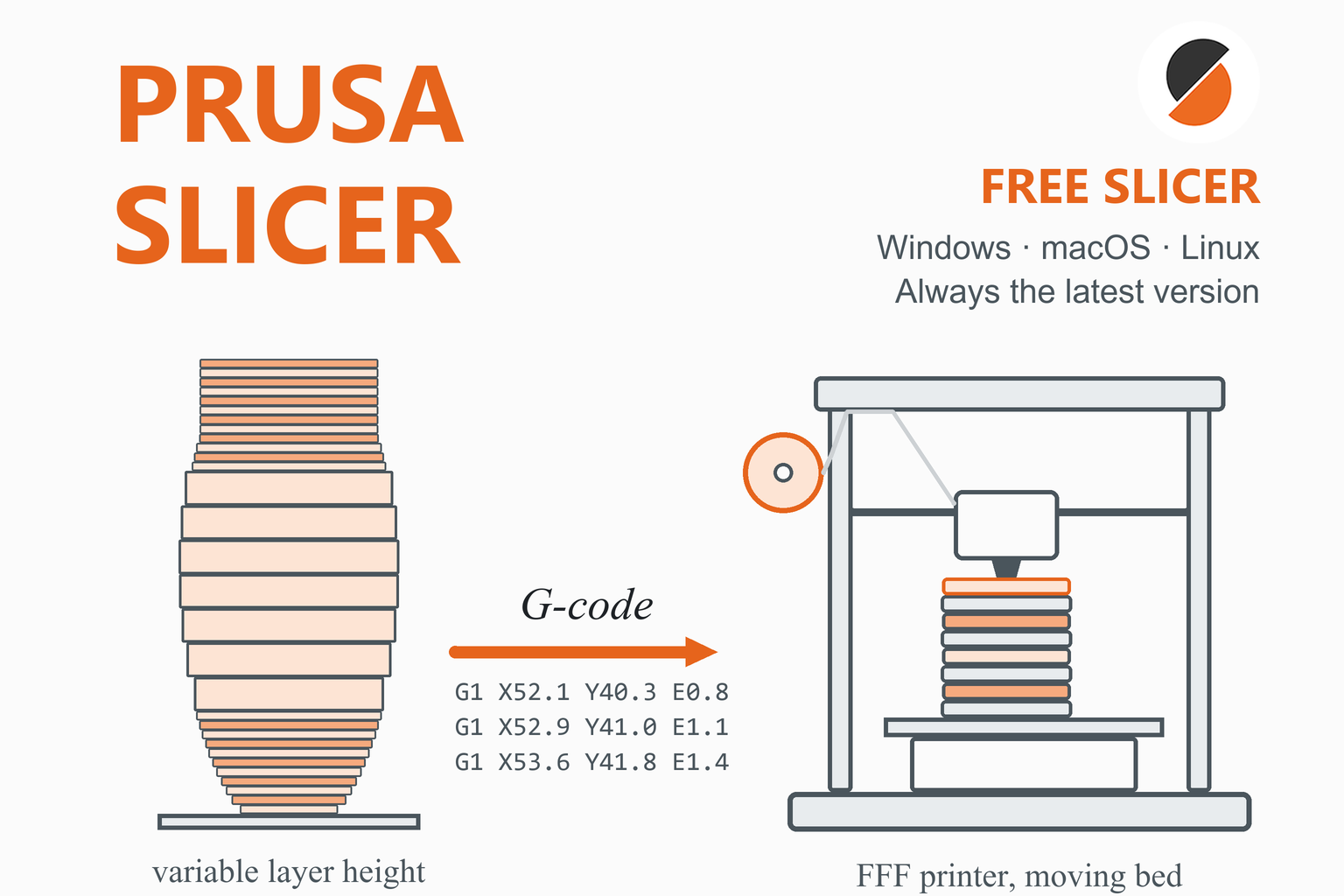
A slicer is the program between a 3D model and a printer. It cuts the model into thin layers, works out the path the nozzle should follow for each one and writes those instructions as G-code. PrusaSlicer does that for FDM printers and for mSLA resin printers. The README says it lets you take your 3D models, generate printing instructions and send them to your printer, and that apart from Prusa printers it supports machines from a wide variety of manufacturers.
History and licence
PrusaSlicer is originally based on Slic3r by Alessandro Ranellucci and the RepRap community. Prusa’s Knowledge Base says Prusa forked Slic3r, released “Slic3r Prusa Edition” in November 2016 and renamed it PrusaSlicer with the 2.0 release in May 2019. It is released under the GNU Affero General Public License v3: anyone may modify it, but changes must be published under the same licence. Prusa says it is funded by hardware and filament sales.
Many other slicers are built on PrusaSlicer. Prusa’s own list names OrcaSlicer, SuperSlicer, BambuStudio, Creality Print, Anycubic Slicer Next, QIDI Slicer, ElegooSlicer, Flash Studio Desktop and Snapmaker Orca. Features also travel in both directions: Prusa’s release notes credit scarf seams and some fuzzy-skin improvements to Orca Slicer, and say Arachne and Lightning infill were ported from Cura. Our guides to Orca Slicer, Bambu Studio and SuperSlicer cover three of these relatives.
Privacy and accounts
Prusa’s page says slicing happens on your own computer and that your models, profiles and G-code never leave it unless you explicitly send them somewhere. A Prusa Account is optional: it unlocks Prusa Connect and syncing, and since 2.8.0 the login button can be hidden in Preferences.
What’s New in Recent Releases
The table summarises the stable releases from 2.6.0 onward, newest first, from the official release notes. Prusa’s final release notes often point back to the alpha, beta and release-candidate notes, so the headline features below come from each version’s whole test cycle. The download box above shows the very newest release’s notes live, so it stays current even as this table ages.
| Version | Date | Main changes |
|---|---|---|
| 2.9.6 | 25 Jun 2026 | ColorMix: “virtual extruders” that mix loaded filaments in set ratios by alternating layers. New G-code tags for excluded and flushed filament, with flush consumption shown per extruder. Profiles for the INDX printer arrive by online update rather than with the app. |
| 2.9.5 | 19 May 2026 | A refactored SLA slicing pipeline (lower memory use, and in Prusa’s words up to more than twice as fast on heavily supported models), material overrides for several SLA settings and a configurable toolchange ordering. |
| 2.9.4 | 7 Nov 2025 | Junction deviation for Marlin 2 (a new machine-limit setting that emits M205 J) and an Arachne fix for tiny G-code segments on curved surfaces. A separate Windows installer (-setup.exe) joined the downloads. |
| 2.9.3 | 12 Sep 2025 | A new “Consistent Surface” cooling logic, a short-travel acceleration setting to reduce ringing at external perimeters, custom G-code parameters (user-defined variables) and a Ukrainian translation. |
| 2.9.2 | 10 Apr 2025 | A dialog to choose the quality of STEP import, fixes to sequential arranging, the SLA support-point generator and scarf seams. Prusa’s notes say Linux is now distributed through Flathub. |
| 2.9.1 | 11 Mar 2025 | Collision-aware arrange for sequential printing (Prusa printers first), multi-material interlocking and a new SLA support-point generator. |
| 2.9.0 | 20 Dec 2024 | Multiple beds in one project (up to 9), scarf seams, a Printables integration tab, experimental different nozzle diameters on multi-tool printers and paint-on fuzzy skin. Flathub became the only official Linux channel. |
| 2.8.1 | 19 Sep 2024 | The menu bar returned after feedback, third-party logins to the Prusa Account, new “abrasive material” and “high flow nozzle” flags and a new zig-zag infill. The last release with Linux AppImages. |
| 2.8.0 | 27 Jun 2024 | Prusa Connect integration inside the app (login, a Connect tab and “Send to Connect”), improved seam placement, a new G-code viewer with an actual-speed view, a refreshed interface and offline profile updates. |
| 2.7.0 | 23 Nov 2023 | An SVG emboss tool, binary G-code (.bgcode), ramping travel moves, G2/G3 arc output and cancel-object labels for Marlin, RRF and Klipper. Patch releases 2.7.1 to 2.7.4 followed to April 2024. |
| 2.6.1 | 6 Sep 2023 | A much improved Arrange (fast, balanced and accurate modes, any bed shape) and a dovetail mode for the Cut tool. |
| 2.6.0 | 20 Jun 2023 | Organic supports, a measurement tool, a text emboss tool, one-click downloads from Printables, the Klipper G-code flavour and template filaments. |
Earlier, 2.5.0 (September 2022) introduced Arachne, Lightning infill, the pressure equalizer and STEP import.
PrusaSlicer 3.0 is in public alpha
Prusa published the first public alpha of PrusaSlicer 3.0 on 1 September 2026 and the second on 21 September 2026. Prusa’s own page and notes call it experimental and unstable, say it is not feature complete compared with 2.9.6 and do not recommend it for production. What the notes and Prusa’s announcement say about it:
- It runs next to 2.x. The alpha keeps its profiles in a separate
PrusaSlicer3-devfolder, and Prusa says 2.x and 3.x can run side by side without conflicts. Its profile packages are separate from the 2.9 ones. - New things: a completely new interface and architecture, multiple beds with separate configurations (even different printers) and no 9-bed limit, multiple projects in tabs, a new layered profile system, an experimental sandboxed Lua plugin system with built-in flow and temperature tower plugins, an offline mode, opt-in crash reporting and light and dark themes.
- Missing for now: SLA slicing, profiles for third-party printers (the alpha covers Prusa printers only), the standalone G-code viewer, post-processing scripts, the custom G-code editor and sequential arranging. Prusa says some of these will wait for 3.1.
- Projects need care. A 3.x project opened in 2.x loads geometry (and colour painting) only. Prusa’s Knowledge Base warns against re-saving such a project in 2.9, because that replaces its settings with whatever presets are selected.
- On Linux the alpha is available through the
flathub-betaFlatpak remote. No date for a 3.0 beta or final release is stated.
Key Features
Simple, Advanced, Expert
One program with three levels: Simple hides advanced options such as modifier meshes, and settings are colour-coded green, yellow and red by how safe they are for beginners.
Print, filament and printer presets
Settings are split into three preset types (plus SLA materials), from whole-print settings down to single-layer adjustments, with “physical printer” presets for network hosts.
Arachne perimeters
Variable-width walls and gap fill, the default since 2.5.0. The classic perimeter generator is still selectable.
Organic supports
Smooth tree-like supports (since 2.6.0) next to grid and snug styles, steered with paint-on enforcers and blockers (paint-on supports since 2.3.0).
Variable layer height
An adaptive quality-versus-speed slider and a manual brush to add or remove detail on any part of the model.
Modifiers and per-object settings
Height-range modifiers, modifier meshes (box, cylinder, sphere, slab, text, SVG) and per-object settings change a region without changing the whole print.
Multi-material and ColorMix
Paint colours per extruder (since 2.4.0), a wipe tower with purge volumes, wiping into infill, and ColorMix virtual extruders (2.9.6) that mix filaments by alternating layers.
Seams, ironing and fuzzy skin
Nearest, aligned, random and rear seams, scarf seams (2.9.0), seam painting, ironing for flat tops (2.3.0) and fuzzy skin (2.4.0, paint-on since 2.9.0).
Multiple beds
Several build plates in one project (2.9.0), with per-bed arrange, preview, slicing and export, plus collision-aware sequential printing from 2.9.1.
Custom G-code and placeholders
Conditional expressions in custom G-code, a list of placeholders, G-code substitutions and custom user parameters (2.9.3).
Binary G-code
Compact .bgcode files, about 70% smaller on average in Prusa’s test, on by default for supporting printers since 2.7.0.
Modelling tools
Cut with connectors and dovetails, text and SVG emboss, measurement, place on face, mesh simplification and a shape gallery.
SLA resin slicing
Slice for resin printers, including the Prusa SL1 and SL1S, with a new support-point generator (2.9.1) and a faster pipeline (2.9.5).
Printables integration
A Printables tab inside the app (2.9.0) and one-click “Open in PrusaSlicer” downloads from Printables, Thingiverse and Cults.
Command line
Slice without the graphical interface in automation setups, for example with --export-gcode and --load.
Which Printers Does PrusaSlicer Support?
Prusa’s page says PrusaSlicer works with any FDM or resin printer, and its Knowledge Base says other makers’ printers work, with many community profiles built in through the Configuration Wizard. The profile files of version 2.9.6 contain 34 vendor bundles and 264 printer models, counted from the project’s files: 35 Prusa FFF models, 2 Prusa SLA models and 227 models from other makers. Online updates add more.
| Maker | Models |
|---|---|
| Prusa Research (FFF) | CORE One and CORE One L (with MMU3 variants), MK4S and MK4 Input Shaper, MK3.9S, MK3.5 and MK3.5S, MINI and MINI+ Input Shaper, i3 MK3S and MK3S+, MK3, MK2.5 and MK2S families, and the XL in 1, 2 and 5-tool versions |
| Prusa Research (SLA) | SL1 and SL1S SPEED |
| Largest third-party sets | Creality (43 models), Geeetech (25), Voron (20), Snapmaker (18), RatRig (13), TriLAB (11), MakerGear (10), Elegoo (9), Artillery (8), Sovol (8), Anycubic (7) and QIDI (6) |
| Other vendor bundles | Anker (AnkerMake), BIBO, BIQU, Cocoa Press, E2D, FLSun, HartSmart, INAT, Infinity3D, Jubilee, LNL3D, LulzBot, Papapiu, Print4Taste, Rigid3D, Trimaker, Ultimaker, Zonestar, gCreate and more |
There is no Bambu Lab bundle among the 34 vendors. For Bambu Lab printers, use Bambu Studio or Orca Slicer.
Printers that are not in the list
In the Configuration Wizard, choose Other FFF or Other SLA to tick a third-party vendor and its printers, or the Custom printer page to define your own profile. Prusa also publishes a set of template filaments (since 2.6.0) that work with any printer, as a starting point rather than a tuned profile. Advanced users can write a vendor bundle and drop it in the user vendor folder.
Sending Prints to the Printer
| Method | How it is set up |
|---|---|
| SD card or USB drive | Export the G-code (Ctrl+G). When a removable drive is detected, an “Export to SD/USB drive” button appears (Ctrl+U), followed by an Eject button (Ctrl+T). |
| Prusa Connect (cloud) | Log in with a Prusa Account in the top bar, then use the Connect tab or “Send to Connect” (since 2.8.0). The older method is a physical printer with the PrusaConnect host type and an API key, which Prusa calls legacy. Prusa Connect is free for Prusa printer owners. |
| PrusaLink (local) | Built into the CORE One, XL, MK4 and MK3.9/MK3.5 families, and available for the MINI+ through its Wi-Fi module and for older MK3 and MK2.5 printers through a Raspberry Pi. In PrusaSlicer add a physical printer with the PrusaLink host type. |
| OctoPrint and Duet | Add a physical printer, choose the host type, enter the address (the Browse button scans the network), the API key or password, and press Test. A “Send G-code” button then appears next to Export. |
| Klipper (via Moonraker) | The host type “Klipper (via Moonraker)” uses the Moonraker API directly since 2.6.0. |
| Other host types | FlashAir, AstroBox, Repetier and MKS appear in the 2.9.6 source alongside the ones above. |
Who Should Use PrusaSlicer?
- Prusa printer owners, for whom it is the maker’s own, fully tested program, with Prusa Connect and PrusaLink built in.
- Beginners, who can start in Simple mode and move up to Advanced and Expert as they learn.
- Multi-material users, with MMU, tool-changer and ColorMix support, painting and a wipe tower.
- Resin printer owners, because it slices for mSLA printers as well as FDM.
- Anyone who wants a slicer with no account and no cloud, since slicing is local.
If you print on many brands and want built-in calibration tests, Orca Slicer is the more common choice. The comparison below explains the differences.
System Requirements
| System | What Prusa says |
|---|---|
| Windows | 64-bit, “Requires Windows 10 or later” (Prusa’s page). An older Knowledge Base article still says Windows 7, which is out of date. |
| macOS | A universal build for Intel and Apple Silicon. Prusa does not state a minimum macOS version for 2.9.6; the Knowledge Base figure (macOS 10.12 and newer) predates the current releases. |
| Linux | Distributed through Flathub, so you need Flatpak and the Flathub repository. The Flatpak runtime is GNOME 50 from version 2.9.5. |
| Memory and processor | 4 GB of memory minimum and 8 GB or more recommended. Many calculations use several threads, so more cores help. Prusa’s early 2.6.0 notes recommended at least 16 GB for large models with many organic supports. |
| Graphics | The Knowledge Base says OpenGL 2.0, but the 2.6.0 notes say PrusaSlicer has used OpenGL 3.3 since that release, so treat 3.3 as the real requirement. If the 3D view is blank or crashes, the notes mention a software-rendering option (--sw-renderer). |
| Download size | Roughly 92 MB for the Windows installer, 102 MB for the Windows zip and 136 MB for the macOS DMG (version 2.9.6). |
How to Install PrusaSlicer
Windows
- Download the Windows installer (
PrusaSlicer-<version>-setup.exe) from the box above, or from Prusa’s downloads page, and run it. Releases 2.9.3 and earlier had no installer; if you prefer no install, extract the.zipinto a folder and run the program from there. - Prusa’s Knowledge Base documents silent installation for IT staff: run the installer with
/VERYSILENT /SUPPRESSMSGBOXES /NORESTART /SP-, and uninstall withunins000.exeand the same first three flags. - The Knowledge Base does not describe how Windows SmartScreen treats the installer, so confirm the file came from an official link and matches its checksum before you continue.
macOS
- Download the
.dmg, open it and drag PrusaSlicer into the Applications folder. Prusa describes it as a 64-bit universal build. - If macOS blocks the first launch, open System Settings, Privacy & Security and click Open Anyway. This is Apple’s standard route for an app it has not verified; Prusa’s documentation does not describe it.
Linux
Prusa’s README says PrusaSlicer for Linux is distributed exclusively through Flathub, and the 2.9.0 notes explain why Prusa left AppImages: they cannot bundle everything (glibc, webkit), need older builds and are costly to maintain, while a Flatpak gives sandboxing, desktop integration and updates. Prusa’s product page still mentions an AppImage from GitHub, but no GitHub release since 2.8.1 has one.
- Install Flatpak for your distribution and add the Flathub repository if you have not already:
flatpak remote-add --if-not-exists flathub https://dl.flathub.org/repo/flathub.flatpakrepo - Install and run PrusaSlicer (add
--userto install without administrator rights):flatpak install flathub com.prusa3d.PrusaSlicer flatpak run com.prusa3d.PrusaSlicer - The Flatpak can see your home folder and removable media by default; for other folders use the Flatseal tool to grant access. Flathub builds appear a couple of hours after the GitHub release.
- For pre-releases such as the 3.0 alpha, add the beta repository and install from it, as Prusa’s Knowledge Base describes:
flatpak install flathub-beta com.prusa3d.PrusaSlicer
First-Time Setup and Your First Print
The Configuration Wizard
The wizard opens on first launch (and any time from Configuration, Configuration Wizard). On macOS Prusa calls it the Configuration Assistant. Its pages are:
- Welcome, with an option to remove all your user profiles.
- Prusa Account login (optional), which downloads profiles automatically, or Configuration sources, where you enable Prusa’s online sources or load a local source file for a computer without internet.
- Profiles: Prusa Research (FFF and SLA), Other FFF and Other SLA for third-party makers, and Custom printer.
- Filaments or SLA materials; an asterisk marks items incompatible with an installed printer.
- Other options: update notifications and automatic profile updates, the built-in Printables downloader, file associations, the view mode (Simple, Advanced or Expert) and metric or imperial units.
A snapshot of your presets is taken before each profile update, and Prusa says it never deletes user profiles. You can restore one from Configuration, Configuration Snapshots. The program only notifies you about new releases at startup; it does not install them. The configuration folder opens from Help, Show Configuration Folder; on Windows it is C:\Users\<name>\AppData\Roaming\PrusaSlicer and on macOS ~/Library/Application Support/PrusaSlicer. Alpha and beta builds use their own folders.
Slice and print a model
- Add a model. Drag a file into the window or use File, Import. Supported formats are 3MF (preferred, and the project format), STL, STEP, OBJ and AMF. STEP files are triangulated on import, and a dialog sets the quality.
- Choose your printer, filament and print settings in the right-hand panel. For a first print Prusa suggests 0.15 or 0.20 mm layers and an infill of around 15%, and turning on a brim if the part touches the bed with a small footprint.
- Add supports if needed, choosing “Everywhere” or “Build plate only”, or paint enforcers and blockers.
- Slice and check the preview before you export. Switching the preview to the speed view shows the real speeds, which are limited by acceleration and jerk.
- Send it. Export the G-code, use the SD/USB button, or send it to a configured host such as Prusa Connect, PrusaLink or OctoPrint.
Settings Worth Knowing
Start with the profile Prusa supplies and change one setting at a time. The entries below are statements from Prusa’s Knowledge Base unless marked as general advice.
| Topic | Guideline |
|---|---|
| Layer height | Generally do not go below 0.10 mm (little gain at 0.07 or 0.05 mm, much longer prints) and keep it below 80% of the nozzle diameter (about 0.32 mm for a 0.4 mm nozzle). Original Prusa profiles use a 0.20 mm first layer and at least two perimeters. |
| Strength | Prusa says strength comes mostly from the number of perimeters, not infill. Most models need 10 to 15% infill and rarely more than 30%. |
| Infill pattern | Gyroid is Prusa’s stated favourite (equal strength in all directions, prints fairly quickly). Lightning saves the most material. Rectilinear is the only recommended pattern for 100% infill. |
| Supports | Reorient or split the model first. Three styles: Grid, Snug and Organic. Support enforcers can break long bridges into shorter ones. |
| Seams | Nearest, Aligned, Random and Rear, plus a seam gap, staggered inner seams and scarf seams. Random only makes sense on cylinders without sharp edges; use seam painting for fine control. |
| Variable layer height | Pick a base profile near the layer height most of the print uses; the Adaptive option plus a manual touch-up can shorten print time with little quality loss. |
| Ironing | Useful for flat tops such as nameplates and lids, pointless on organic shapes. It adds print time and can cause heat creep with PLA over large areas. |
| Colour change with one extruder | Add a colour change with the layer slider’s plus icon, and use the same material type for all colours. |
| Print time estimate | Prusa says the estimate is very accurate only when the right printer profile (acceleration and jerk) is selected. |
| Calibration (general advice) | Prusa’s docs give no retraction, temperature or flow tuning numbers, and the 3.0 alpha notes say PrusaSlicer has lagged on built-in calibration, adding its first two tests (a flow tower and a temperature tower) only in 3.0. Use the filament maker’s advice and the printer’s own calibration prints. |
| Abrasive filaments (general advice) | Check that your nozzle is hardened before printing carbon-fibre filaments; the 2.8.1 notes added an “abrasive material” flag for filament profiles. |
PrusaSlicer vs Orca Slicer, Bambu Studio and Cura
PrusaSlicer is the parent of the Orca and Bambu family, so the right choice depends on your printers more than on any single feature.
| PrusaSlicer | Orca Slicer | Bambu Studio | Cura | |
|---|---|---|---|---|
| Made by | Prusa Research | SoftFever and the community | Bambu Lab | UltiMaker |
| Lineage | Originally based on Slic3r | Began by drawing on Bambu Studio and PrusaSlicer | Based on PrusaSlicer | Separate family, built on Uranium |
| Licence | AGPL-3.0 | AGPL-3.0 | AGPL-3.0 (plug-in not open) | LGPL-3.0 (engine AGPL-3.0) |
| Best for | Prusa printers and many others, FDM and mSLA | Many brands, deep calibration | Bambu Lab printers | UltiMaker and many budget printers |
| Resin (mSLA) | Yes | Not in its documented feature list | Not in its documented feature list | Not in its documented feature list |
| Network printing | Prusa Connect, PrusaLink, OctoPrint, Duet, Moonraker | OctoPrint, Moonraker, PrusaLink, Duet, cloud services | Bambu cloud and LAN | UltiMaker network, Digital Factory; OctoPrint by plugin |
| Built-in calibration tests | None in 2.9.6; two in the 3.0 alpha | A full suite | Flow Dynamics and Flow Rate | Not documented |
If you own a Prusa printer, PrusaSlicer is the natural choice. If you print on many brands or want calibration tools built in, Orca Slicer is the usual alternative; SuperSlicer is another PrusaSlicer fork with its own calibration menu. If you own a Bambu Lab printer, start with Bambu Studio.
Pros and Cons
Strengths
- Free and open source (AGPL-3.0), with no account needed and local slicing.
- Simple, Advanced and Expert modes grow with you.
- Slices for both FDM and mSLA resin printers.
- Tested profiles for Prusa printers and bundled profiles from many other makers (34 vendor bundles in 2.9.6).
- Prusa Connect, PrusaLink, OctoPrint, Duet and Moonraker host support.
- An extensive Knowledge Base with an article for nearly every feature.
Limits
- No Linux download on GitHub; Linux users must use Flatpak.
- No built-in calibration tests in the stable 2.9 line.
- Some Knowledge Base pages are out of date (system requirements, Linux paths).
- No Bambu Lab profiles, and a smaller bundled printer list than Orca Slicer (264 models against 378 in the files we counted).
- The 3.0 alpha is incomplete: Prusa printers only, no SLA and no standalone G-code viewer yet.
- Updates are notifications only; you install new versions yourself.
Troubleshooting
| Problem | What to try |
|---|---|
| The program freezes at launch, often on a second monitor | Prusa’s FAQ names the Nahimic audio driver, which you can stop or disable, and application-integration tools such as Blue Cielo, which you can whitelist PrusaSlicer in. |
| The 3D view is blank or crashes on Windows | The 2.6.0 notes describe a switch to a software OpenGL library, and a prompt to restart with --sw-renderer if the automatic switch fails. |
| The Flatpak cannot see a drive or folder | Grant access with Flatseal (Filesystem, Other files). |
| The Flatpak looks light on a dark system, or a language is missing | Prusa’s Knowledge Base suggests switching the system theme and reinstalling, using a Flatseal environment variable, and enabling extra locales in Flatpak before reinstalling. |
| The new release is missing on Flathub | Normal: Flathub builds appear a couple of hours after the GitHub release. |
| An update “erased” my profiles | It did not. A snapshot is taken before every preset update; restore it from Configuration, Configuration Snapshots. |
| The printer says the G-code is not fully compatible | Compare the printer model, nozzle and hardware settings shown on the printer with the profile you sliced with. |
| A 3.0 project lost its settings in 2.9 | Expected: 2.x loads only the geometry of 3.x projects. Do not re-save the project over the original. PrusaSlicer 2.9.1 and later warn you. |
| Strange one-layer islands on a flat surface | The model was probably rotated in CAD and is no longer perfectly flat. |
| Reporting a bug | Prusa wants only reproducible bugs in the GitHub issue tracker, with the project file, your operating system and the latest version (alpha, beta and RC builds included). Questions and feature requests go to GitHub Discussions. |
Frequently Asked Questions
Is PrusaSlicer free?
Yes. PrusaSlicer is free and open source under the GNU Affero General Public License v3; anyone may modify it, but changes must be published under the same licence. Prusa says the software is funded by its hardware and filament sales, and its website says no account is required.
Is PrusaSlicer safe to download?
The download box on this page links only to files on the official prusa3d GitHub project. Prusa’s README calls the PrusaSlicer page on prusa3d.com the recommended way to install, and Prusa’s downloads page offers the same Windows installer and macOS DMG; on Linux, Prusa distributes through Flathub, where it is a verified publisher. GitHub shows a SHA-256 checksum for the files of 2.9.3 and newer. Avoid mirror and “free download” sites, some of which show out-of-date versions or repackaged installers.
Does PrusaSlicer only work with Prusa printers?
No. The README says that apart from Prusa printers it supports machines from a wide variety of manufacturers, and Prusa’s Knowledge Base says other makers’ printers work, with many community profiles built in through the Configuration Wizard (34 vendor bundles in version 2.9.6) and others importable by hand. If your printer is missing, use the Custom printer page in the wizard and the template filaments as a starting point.
Do I need an account or an internet connection?
No. Prusa’s page says no account is required and that slicing runs on your computer, with models, profiles and G-code never leaving it unless you send them somewhere. A Prusa Account is optional (it unlocks Prusa Connect and automatic profile download), and since 2.8.0 the login button can be hidden in Preferences. A computer without internet can load a local profile source in the Configuration Wizard.
How do I install PrusaSlicer on Linux?
Through Flathub. Prusa’s README says Linux builds are distributed exclusively that way, and no GitHub release since 2.8.1 has a Linux file. After setting up Flatpak and the Flathub repository, run flatpak install flathub com.prusa3d.PrusaSlicer. Prusa’s 2.9.0 notes explain the change: AppImages cannot bundle everything, need older builds and are costly to maintain, while a Flatpak adds sandboxing and updates.
What is PrusaSlicer 3.0, and should I install it?
It is a major new version currently in public alpha (alpha 11 on 1 September 2026 and alpha 12 on 21 September 2026). Prusa calls it unfinished and expected to be unstable, and does not recommend it for production. It supports Prusa printers only for now, has no SLA slicing and no standalone G-code viewer yet, and stores its profiles in a separate PrusaSlicer3-dev folder, so it can run beside 2.9.6. If you just want to print, stay on the stable release; the download box mentions the newest alpha.
What is the difference between PrusaSlicer, SuperSlicer and Orca Slicer?
PrusaSlicer is the original, made by Prusa Research. SuperSlicer’s README describes it as a PrusaSlicer fork, and Orca Slicer’s README says Orca began by drawing on Bambu Studio and PrusaSlicer, with ideas from Cura and SuperSlicer. Prusa’s own list of programs built on PrusaSlicer names OrcaSlicer, SuperSlicer, BambuStudio, Creality Print and others. Orca and SuperSlicer add calibration tools, which PrusaSlicer 2.9 does not have built in.
Which PrusaSlicer file should I download?
On Windows use the -setup.exe installer (available from 2.9.4), or the .zip if you prefer to extract it yourself. On a Mac there is one .dmg, which Prusa says works on both Intel and Apple Silicon. On Linux there is no GitHub file; use Flathub.
Does PrusaSlicer support resin printers?
Yes. The README says it supports both FDM and mSLA printers, including the Prusa SL1 and SL1S, and 2.9.1 and 2.9.5 improved the SLA support-point generator and slicing pipeline. SLA slicing is suppressed in the 3.0 alphas for now.
How do I back up or move my PrusaSlicer settings?
Use File, Export, Export Config Bundle to save your profiles, or copy the configuration folder that Help, Show Configuration Folder opens. PrusaSlicer also takes a snapshot of your presets before each profile update, which you can restore from Configuration, Configuration Snapshots. To load profiles on another computer use File, Import, Import Config Bundle.
Does PrusaSlicer update itself?
No. With the notification option on (Preferences, Notify about new releases), it only tells you at startup that a new release exists, and you install it yourself. Built-in printer and filament presets can update automatically, and a snapshot is taken first so you can go back.
More slicer guides: Orca Slicer · Bambu Studio · Cura · SuperSlicer · Creality Print · Engineering calculators