
Lychee Slicer Download and Resin Print Setup Guide
Mango 3D’s slicer for resin and filament printers, with a free Lite edition, for Windows, macOS and Linux
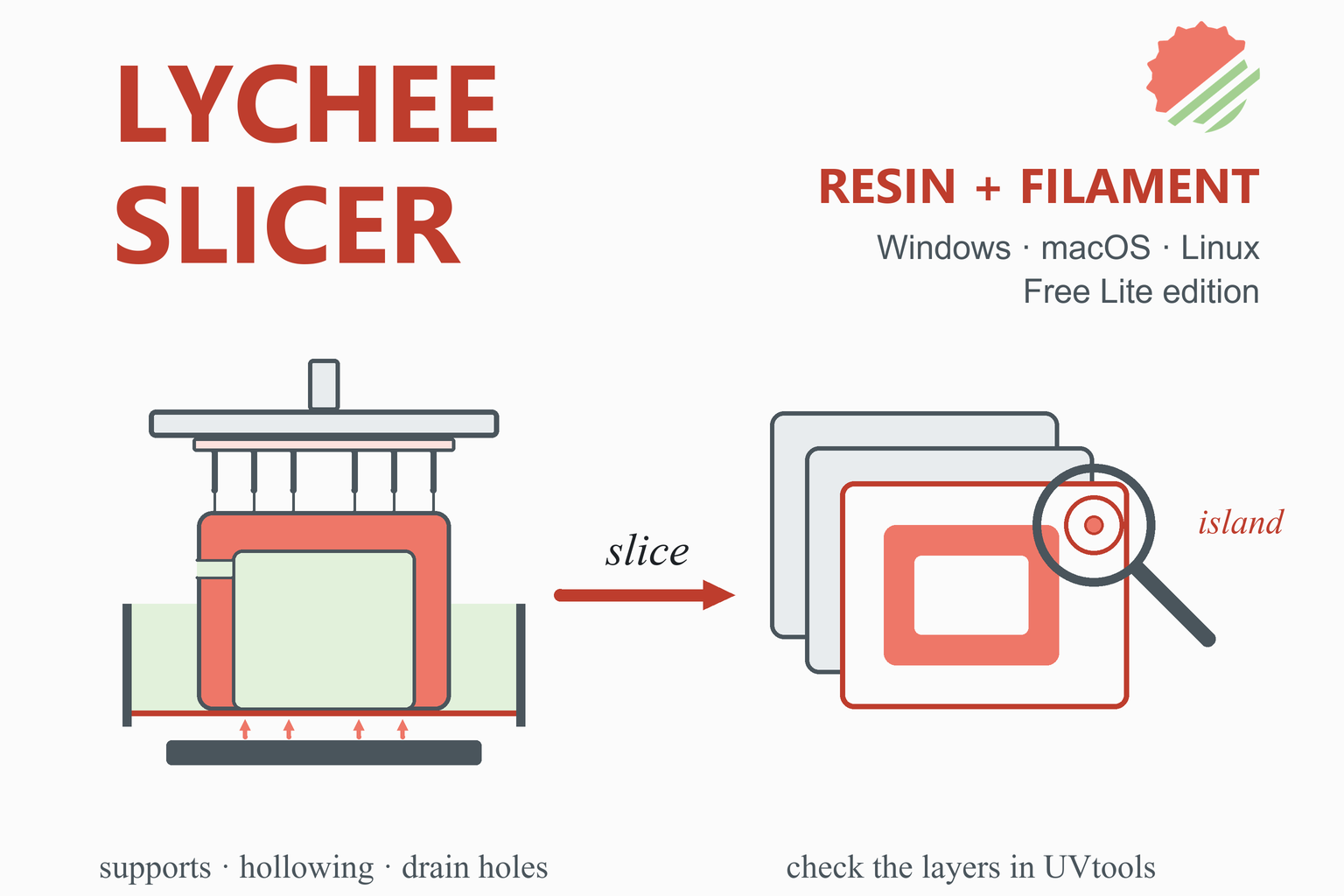
Lychee Slicer prepares 3D models for resin (MSLA) and filament (FDM) printers: it orients them, adds supports, hollows them and writes the file your printer reads. This guide gives the official Lychee Slicer download, the versions listed on 1 November 2026 and what the free edition includes according to Lychee’s pricing page. It then walks through a resin job from orientation to export, explains the physics of supports and suction, and checks the result in UVtools.
Lychee Slicer Download
Release notes for every version: Lychee changelogs
| System | Version listed | File | Size |
|---|---|---|---|
| Windows, 64-bit | 8.0.3changelog dated 22 October 2026 | .exe installer | about 246 MB |
| macOS, Apple silicon | 8.0.3changelog dated 22 October 2026 | .dmg (arm64) | about 264 MB |
| macOS, Intel | 8.0.3changelog dated 22 October 2026 | .dmg (x86_64) | about 280 MB |
| Linux, x86-64 | 8.0.3changelog dated 22 October 2026 | AppImage | about 279 MB |
Sizes as reported by Lychee’s download server on 1 November 2026. The download page also keeps earlier builds (8.0.2, 8.0.1, 8.0.0 and 7.6.4 to 7.6.6).
Before you download
- One program for every edition. Lychee’s download and product pages say Plus, Library and a 30-day Plus trial are unlocked inside the app; the licence agreement says the program falls back to the free edition when a trial ends.
- You need a Lychee account, activated from a confirmation email, even for the free edition (help centre). Every edition allows three activations (pricing page).
- The old address forwards: mango3d.io now redirects to lychee.co.
Download Safety and How to Check the File
Start from the download page on lychee.co. When this guide was checked, its buttons led through short links to Lychee’s download server and to files named like LycheeSlicerInstall-8.0.3.exe; a file with another name, offered by another site, is not the one Lychee lists.
Lychee publishes no checksums, so the useful checks come from your operating system:
- Windows: right-click the installer, open Properties and check the Digital Signatures tab. The download page warns of a blue “Windows protected your PC” message and says to choose More info, then Run anyway; do that only for a file you fetched from lychee.co yourself.
- macOS: if the app is blocked, read the message before you allow it in System Settings, Privacy & Security (System Preferences, Security & Privacy on macOS 12 and earlier).
What Is Lychee Slicer?
A slicer turns a 3D model into instructions for a printer: for a resin printer, a stack of layer images shown on the printer’s screen under ultraviolet light; for a filament printer, G-code. Lychee describes one program with Resin and Filament modes, and lists more than 750 supported printer models.
It is made by Mango 3D SAS of Paris and is proprietary: the licence agreement says it is licensed, not sold. The help centre says no 3D files are sent to Lychee’s servers; your printers, resin profiles and preferences are saved to your account.
Prepare
Auto-Orientation, arranging, repair and a one-click Magic Button.
Supports
Automatic and manual supports with presets, an island detector, rafts and bracing.
Hollow
Hollowing to save resin, drain holes and a suction-cup detector.
Export
The layer file your printer reads, .lys scenes, and STL or OBJ with supports.
What’s New in Lychee Slicer 8
Version 8.0 (24 September 2026) is a rebuild: its changelog says Electron, the base of version 7, gave way to Lychee’s own framework with Chromium Embedded 150 and a Vulkan engine. Three fix releases followed.
| Version | Date | Main changes (Lychee’s changelogs) |
|---|---|---|
| 8.0.0 | 24 Sep 2026 | New engine; Assembly Keys for parts printed in pieces; an Auto-Orientation that minimises overhanging area, also in the free version; rewritten repair; editable hollowing voxels; supports inside hollow cavities; three licence seats instead of two. |
| 8.0.1 | 12 Oct 2026 | Manual .lyt saving restored; hole creation fixed; infill can be switched off. |
| 8.0.2 | 15 Oct 2026 | Automatic supports passing through the model fixed; optional crash reports; dual-GPU crashes on Windows fixed. |
| 8.0.3 | 22 Oct 2026 | Lower memory use; faster support deletion; auto-support coverage fixed; launching UVtools from Lychee restored; black previews and a stuck browser sign-in fixed. |
Lychee’s launch article claims, for example, 6.7 times faster automatic supports than version 7, measured by Lychee on its own test scenes.
System Requirements
From the download page; Lychee says these work for 2K and 4K printers and that printers above 8K may need more graphics power.
| System | Minimum | Recommended |
|---|---|---|
| Windows | Windows 8 64-bit or later; Intel Core i5-4430 or AMD FX-6300; NVIDIA GTX 960 2 GB or AMD Radeon R7 370; 16 GB memory | Windows 11 64-bit; Intel Core i7 at 3.5 GHz or AMD Ryzen 5; NVIDIA GTX 1070 or AMD Vega 56 with 8 GB; 32 GB memory |
| macOS | 10.14.6 Mojave; Apple M1 Pro, or a six-core Intel Core i7 with an AMD Radeon Pro 5300M; 16 GB memory | 13.4.1 Ventura; Apple M2 Pro; 32 GB memory |
| Linux | Not listed; the 8.0.3 build is an x86-64 AppImage | Not listed |
| All | Current graphics drivers, a graphics card with WebGL2 support, a 1280×800 screen | A 1920×1080 or 4K screen |
Version 8 is a rebuilt program, so if your computer is near the minimum, check the page again before installing.
Install and First Start
- Install. Windows: run the .exe. Mac: take the arm64 .dmg for Apple silicon or the x86_64 one for Intel (About This Mac shows your chip) and install the app as its window shows. Linux: make the AppImage executable and start it:
chmod +x LycheeSlicer-8.0.3-x86_64.GLIB-235.AppImage ./LycheeSlicer-8.0.3-x86_64.GLIB-235.AppImage - Sign in. Create your account and click the activation link in the email; sign-in goes through your web browser. An older help-centre article says you can then work offline for up to seven days.
- Add your printer: 3D Printer menu, Add, Resin 3D Printer, then search for your model. Missing printers can be requested from Lychee.
- Pick a resin profile: Lychee’s default, a resin maker’s
.lyrfile, or a community profile, which Lychee calls a starting point for your own calibration.
Free Lite Edition vs Plus
From Lychee’s pricing page only, as it stood on 1 November 2026. Prices are in euros; yearly prices are marked “+ local taxes”.
| Area | Lite (free) | Plus (adds) |
|---|---|---|
| Price | Free, with a 30-day Plus trial | €9.99 a month or €99.90 a year. Plus & Library: €19.99 a month or €199.90 a year |
| General | Core slicing features; Multi-Plate (limited); Magic Button (basic); three activations | Full Multi-Plate; Batch Button (advanced); “exclusive slicing features and settings”; Wi-Fi or network printing for some printers |
| Supports | Auto support, Island Detector, rafts, parenting and bracing | Grid, inline and projection supports, support painting, proximity detection, premium rafts, Assembly Keys, the new Auto-Support System |
| Hollow and layout | Hollowing 2D, Repair Tool, manual model update | Voxel and 3D hollowing, hollowing blockers, Boolean mode, ironing, measuring, planar cut and split tools, automatic model update |
| Preview and export | Layer thickness preview, Picture view, STL/OBJ export with supports, scene export, cloud and local backups; ads on export | Physical Size Mode; no ads on export |
Two points need care. The Lite column lists Auto support, yet the Plus card names the Auto-Support System among what Plus adds, without explaining the difference. And neither list mentions drain holes or the suction-cup detector, so check what your copy offers. Plus & Library adds over 3,600 pre-supported models from over 120 creators.
Prepare a Resin Print, Step by Step
These steps follow Lychee’s help centre (Layout, Prepare, Export). Its articles predate version 8, so a button may have moved, but the order of work is the same.
- Import and check the model. Load an STL, OBJ or 3MF file. A model with holes in its surface shows in red; the Repair tool fixes simple holes and non-manifold geometry. Reversed normals and badly damaged meshes need another 3D program, says the help centre; MeshLab and Blender are two covered on this site.
- Orient it. Try Auto-Orientation (the 8.0 changelog says it minimises overhanging area), then apply the help centre’s rules: keep faces and fine detail away from the build plate, since supports mark what they touch; put the heavier part toward the plate; avoid large flat areas parallel to it; avoid cup shapes.
- Hollow large or solid parts. In Lite this is Hollowing 2D: the model is unchanged, but the inner pixels of every slice stay dark so no resin cures there, behind a wall of 0.5 to 10 mm (the help centre’s resin guide settles on about 1.8 mm). Plus adds 3D and voxel hollowing and blockers.
- Add drain holes. The resin guide puts one in the lowest part of the model as it sits in the slicer, nearest the build plate, and recommends two or more; the suction-cup article suggests 3 to 5 mm for small and medium prints. Then run the suction cup detector to find cavities with no way out. If you cannot add holes, do not hollow: a closed hollow traps resin.
- Add supports. Generate automatic supports with a Light, Medium or Heavy preset, then run the island detector: Fast finds the largest islands (about 3 mm tall), Normal medium ones (about 1.6 mm), Detailed those below 0.1 mm. Support the islands that matter; the help centre advises leaving islands smaller than your light tip alone. By hand you set tip diameter, tip length and shaft diameter; on main islands the help centre spaces supports about 2 mm apart, near the edges.
- Brace, and add a raft only if needed. Bracing ties tall supports together. The help centre says most prints need no raft, that 0.5 to 1.5 mm is thick enough, and that a large raft raises the risk of delamination.
- Check the slices. Picture view shows every pixel of every slice, the place to spot resin pockets; the Simulator shows the job upside down, as printed.
- Export. In Export Slices, check printer and resin, set anti-aliasing (grey edge pixels that smooth layer steps) and choose the format your printer reads; the help centre’s Elegoo Saturn 3 Ultra example reads .goo and .ctb. Save to your own drive first, as Lychee advises, then copy the file across; Wi-Fi sending works on some printers and is a Plus feature on the pricing page. Keep the .lys scene to fix and re-export later.
The Physics of Supports and Suction
This is general resin-printing physics, not Lychee’s claims; it applies to any slicer.
Every layer is peeled off the film
An MSLA printer cures each layer between the part and the transparent film at the bottom of the vat. When the plate rises, the fresh layer is pulled off the film while resin rushes into the gap. That separation force is what supports carry, and it grows with the layer’s area, which orientation and hollowing change:
- A flat panel 40×40 mm and 2 mm thick, lying flat, puts 1,600 mm² on the film in each layer. Tilted to 45°, each layer cuts it in a strip about 2.8 mm wide (2 mm ÷ sin 45°), roughly 113 mm²: fourteen times less, at the cost of more layers.
- A solid round section 40 mm across is 1,257 mm² per layer; hollowed with a 2 mm wall it is a ring of about 239 mm², under a fifth.
Why the start of each lift matters most
Stefan’s law for two rigid discs of radius R pulled apart at speed dh/dt through a liquid of viscosity μ with gap h. A real film flexes and peels from the edges, so real forces are lower, but the trends hold: the force climbs steeply with patch size, lift speed and viscosity, and peaks while the gap is tiny. Hence two-stage lifts, slow then fast, which Lychee calls TSMC.
What supports do
- Anchor islands. An island appears in a layer with nothing beneath it on the build-plate side; cured unsupported, it stays on the film or floats away.
- Carry the peel force. The tip is the weak link, and its strength grows with its area, the square of its diameter: a 0.6 mm tip holds about (0.6 ÷ 0.4)² = 2.25 times the load of a 0.4 mm tip and leaves a mark 2.25 times larger. A tip meeting the surface at right angles is pulled along its axis rather than bent; Lychee’s help centre says the program angles tips at about 90 degrees to the surface.
- Resist buckling. When the plate lowers, the part is pressed back through the resin and the supports are compressed. A slender column’s buckling load rises with the fourth power of its diameter (its second moment of area) and falls with the square of its length, so a brace halfway up a tall support quadruples the load it can take.
Suction cups and resin traps
A suction cup forms when a layer draws a closed ring on the film around a cavity already sealed on the build-plate side. As the plate lifts, the cavity grows but nothing can flow in, so the pressure inside drops.
The ceiling on suction
The pressure inside cannot fall below a vacuum, so for a 20 mm cavity the extra pull is at most about 32 N, the weight of 3.2 kg, on top of the normal peel force. Real values are lower, but even a fraction can tear a part off supports sized for ordinary layers.
A drain hole through a wall already printed when the cavity forms, in practice near the build plate, lets resin or air in and removes the pressure difference. Viscous flow through a hole in a thin wall rises with the cube of its radius, and through a long channel with the fourth power (Hagen–Poiseuille), so doubling a hole’s diameter passes resin roughly 8 to 16 times faster. A sealed cavity also traps liquid resin, which Lychee’s help centre warns can make a print burst over time.
Check the Sliced File in UVtools
Lychee’s island and suction-cup tools work on the 3D model; UVtools reads the finished layer file, the exact images your printer will show, so it is an independent second opinion. It is free and open source (GNU AGPL v3), opens many formats including .ctb and .goo, and its README lists checks for islands, overhangs, resin traps, suction cups, touching bounds, print height and empty layers. See our UVtools download and guide.
- Open the file. Lychee’s help centre lists UVtools among its external quick-launch tools, and 8.0.3 restored that launch on Windows and macOS. Otherwise use File, Open (Ctrl + O) or drag the file into UVtools.
- Run the issue detection and go through the list by type.
- Resin traps and suction cups: any left should be cavities you meant to keep; an unexpected one usually means a missing or blocked drain hole.
- Islands: compare them with Lychee’s detector. Single pixels can be false alarms; a real island without a support needs one.
- Touching bounds: pixels at the edge of the print area; move or scale the model.
- Fix at the source. UVtools can repair many issues, but a fix in the .lys scene carries into every later export: correct it in Lychee, export again and re-check.
Lychee Slicer and the Alternatives
| You want… | Option |
|---|---|
| A resin and filament slicer with one-click preparation, a free edition and paid extras | Lychee Slicer |
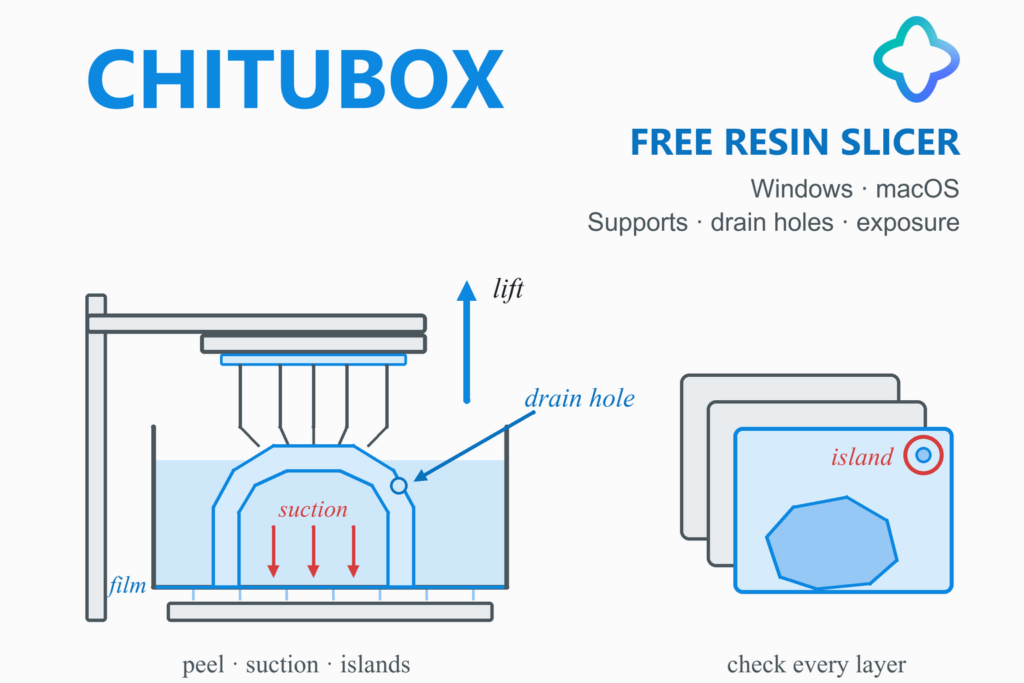
| Another resin slicer to compare (its maker calls it SLA, DLP and LCD slicer software) | CHITUBOX |
| An independent check of a sliced file, or conversion to another printer’s format | UVtools |
| To repair or edit a mesh before slicing | MeshLab or Blender |
| An overview of other slicers | Best 3D printer slicers |
Pros and Cons
Strengths
- Resin and filament in one program, with more than 750 printer models listed.
- A free edition with automatic and manual supports, island detection, rafts, bracing, 2D hollowing and Auto-Orientation.
- Builds for Windows, macOS (Apple silicon and Intel) and Linux.
- Detailed support controls and presets.
- Works alongside UVtools, which Lychee can launch.
Limits
- An account is required, even for Lite.
- Lite shows ads on export, and 3D hollowing, blockers, several support types and network printing are Plus-only.
- Proprietary, with no published checksums.
- 16 GB of memory is the stated minimum.
- The help centre predates version 8.
Troubleshooting
| Problem | What to try |
|---|---|
| Add Printer shows only the “Free Zone” | Lychee could not download its printer list (help centre): reinitialise, reinstall, or allow it through your security software. |
| The printer does not read the file | Check the exact printer model and format; re-adding the printer refreshes its formats. The help centre also blames cheap USB sticks: use a good one formatted as FAT32. |
| Slow, or crashes while slicing | Lower anti-aliasing, repair red models, avoid very dense meshes, and turn on Force High GPU Mode (File, Preferences, Global Settings). |
| Black preview, stuck sign-in, or supports through the model | Fixed in 8.0.2 and 8.0.3; update. |
| A drain hole shows red | It failed the export check: it works when slicing but is left out of STL or OBJ exports. Move or resize it. |
| Odd behaviour after an update | Quit, rename the LycheeSlicer folder (in %appdata% on Windows, ~/Library/Application Support on macOS) to LycheeSlicerBak and restart. The help centre says your data then downloads from the cloud; renaming rather than deleting keeps your support presets recoverable. |
Frequently Asked Questions
Is Lychee Slicer free?
Yes, in its Lite edition, which includes core slicing, automatic and manual supports, island detection, rafts, bracing and 2D hollowing but shows ads on export. On 1 November 2026 the pricing page listed Plus at €9.99 a month or €99.90 a year and Plus & Library at €19.99 a month or €199.90 a year (yearly prices plus local taxes), with a 30-day Plus trial.
What is the latest version of Lychee Slicer?
On 1 November 2026 the download page listed 8.0.3, with a changelog dated 22 October 2026; version 8.0 arrived on 24 September 2026. Check lychee.co for anything newer; Lychee says the program updates itself.
Is Lychee Slicer safe to download?
Download it only from lychee.co (the old mango3d.io address forwards there). There are no published checksums, so check the installer’s digital signature on Windows. The download page says a blue SmartScreen warning may appear; choose Run anyway only for a file you fetched from lychee.co yourself.
Who makes Lychee Slicer?
Mango 3D SAS of Paris, named in the licence agreement; its website is lychee.co. The program is proprietary: licensed, not sold.
Do I need an account to use Lychee Slicer?
Yes. The help centre says to create and activate an account before you start, and every edition, Lite included, allows three activations. An older help-centre article says you can work offline for seven days after signing in.
What does the free Lite edition leave out?
Per the pricing page, Plus adds voxel and 3D hollowing, blockers, grid, inline and projection supports, support painting, premium rafts, Assembly Keys, the Auto-Support System, Boolean mode, ironing, measuring, cut and split tools, full Multi-Plate, network printing and ad-free exports. Neither edition lists drain holes or the suction-cup detector.
Does Lychee Slicer work with filament printers?
Yes: one program with a Resin mode and a Filament mode, and more than 750 supported printer models. Filament support predates version 8; the help centre’s filament documentation dates from 2024.
Which file does Lychee Slicer export for my resin printer?
The format your printer reads, chosen in Export Slices after you pick your exact printer. Some printers read more than one: in the help centre’s example, the Elegoo Saturn 3 Ultra reads .goo and .ctb. Keep the .lys scene so you can re-export later.
Can I check a Lychee file in UVtools?
Yes, and it is a good habit. UVtools opens .ctb, .goo and many other sliced files and checks them for islands, resin traps, suction cups, pixels at the edge of the print area and empty layers. Lychee can launch it as an external tool.
Can I use Lychee Slicer for commercial work?
The licence agreement allows personal and commercial use, but the general conditions of sale say commercial users must obtain a commercial licence, in particular businesses or professionals with an annual turnover above €120,000 (figurine sellers, artists and creators excepted). Lychee Library models need the creator’s approval for commercial use.
More guides: UVtools · CHITUBOX · Best 3D printer slicers · MeshLab · Blender · PrusaSlicer · Orca Slicer · FreeCAD · Engineering calculators