
SuperSlicer Download: The Free PrusaSlicer Fork with Built-In Calibration Tests
The newest stable release, checked live against the official GitHub releases, with an honest note on where the project stands
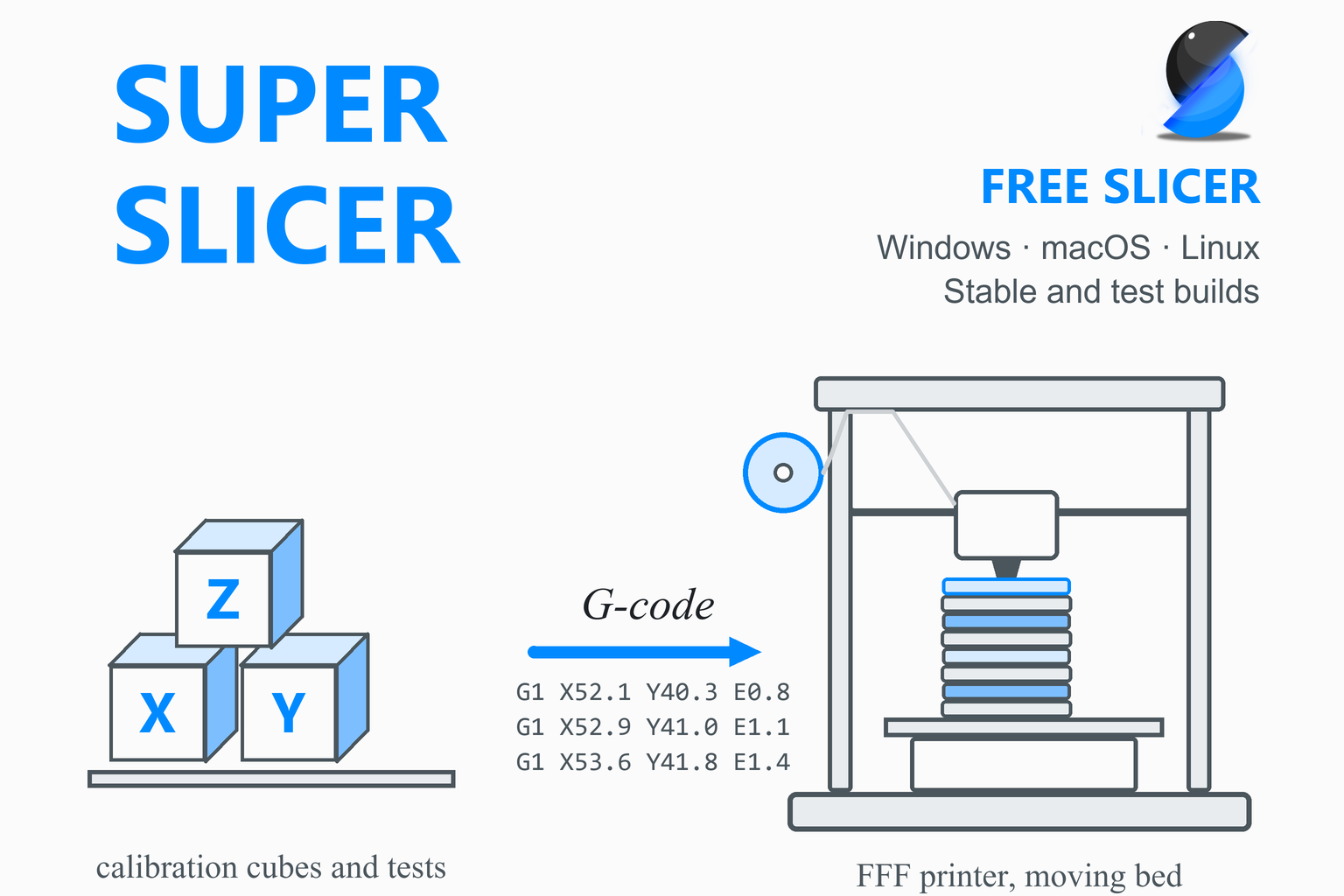
SuperSlicer is a free, open-source slicer for FDM (filament) 3D printers, created by the developer supermerill as a fork of PrusaSlicer. It adds a Calibration menu, finer control over thin walls, top surfaces, holes, overhangs, brims and seams, and many extra settings. SuperSlicer has an unusual release history: GitHub marks a July 2024 build as the “latest” release and every newer build as a pre-release. This page checks GitHub when you open it, shows the newest stable build with file sizes, and mentions the newer test builds, and the sections below explain which version to choose. You will also find what changed in each release, the system requirements, install steps for each system, a calibration guide taken from the program’s own pages, troubleshooting and a comparison with PrusaSlicer and Orca Slicer.
Download SuperSlicer
Or see every build: SuperSlicer releases on GitHub
Previous versions
Loading the release list…
How this download box works
- It is live. Each visit asks GitHub for the release it marks as the latest stable one in the official supermerill/SuperSlicer project. Your browser keeps the answer for ten minutes; the Refresh button asks again straight away.
- Why it shows a 2024 build. GitHub’s “latest” release is still version 2.5.59.13 from July 2024. Every newer build, from 2.5.60.0 to the 2.7 series, is marked as a pre-release, so the box does not list their files, and it mentions the newest one in a notice instead. The next section helps you choose.
- Mac files: there are separate files for Apple Silicon and Intel Macs. Linux files: two AppImages (a standard one and a GTK2 one) and an archive. Windows: a zip you extract; there is no installer in the stable release.
- No checksums for 2.5.59.13. GitHub shows SHA-256 checksums only for the 2.7.61.5 and newer builds, so the stable files in this box have none.
- Every link goes to GitHub. The script only accepts download addresses on the official project’s release path. If GitHub cannot be reached, the box falls back to links that always point to the newest release.
Download Safety
Slicers run with full access to your files, so where the installer comes from matters. SuperSlicer’s README points to its GitHub releases page for prebuilt Windows, Linux and macOS builds, and mentions package managers (Chocolatey, Scoop, Homebrew and Arch Linux). The download box above reads from that same releases page. At the time of writing, the project’s website (superslicer.org) has an expired security certificate, which makes browsers show a warning, and its news and links pages are out of date, so this page does not rely on it.
Binaries are not signed. The release notes tell Windows users to say to the operating system that they trust the program, and tell Mac users how to remove the quarantine flag. The developer wrote in March 2026 that a Mac malware warning was not malware: the build was simply not signed with a certificate. Download only from GitHub, and compare checksums when a build has them.
Check the SHA-256 checksum (builds that have one)
A checksum is a fingerprint of the file. For builds that carry one (2.7.61.5 and newer), if the fingerprint of your download matches the one shown on the release page, the file is exactly what was published. Replace the file name with yours.
Windows (PowerShell)
Get-FileHash .\SuperSlicer_*_win64_*.zip -Algorithm SHA256macOS (Terminal)
shasum -a 256 ~/Downloads/SuperSlicer_*_macos_*.dmgLinux (terminal)
sha256sum SuperSlicer-ubuntu_*.AppImageWhich SuperSlicer Version Should You Download?
The facts first, as of 18 October 2026. All dates are the GitHub publication dates.
| Build | What it is | Status |
|---|---|---|
| 2.5.59.13 (1 Jul 2024) | The 2.5 line, merged with PrusaSlicer 2.5. GitHub’s “latest” release and the only version GitHub marks as stable. | Frozen. The developer’s roadmap says there are no plans to work on it, and in December 2025 the developer wrote that they would not update 2.5.59 any more because GitHub’s build machines are too new to build it. |
| 2.7.61.0 to 2.7.61.10 (25 Mar to 18 Sep 2025) | The 2.7 line, merged with PrusaSlicer 2.6 and 2.7: organic supports, ArcWelder arc fitting and new calibration tools. Eleven releases, all marked as pre-releases. | The notes list known issues and say the Linux and macOS builds were not tested by the developer. 2.7.61.10, the last 2.7.61 build, has files for every system, including a Windows .msi installer. |
| 2.7.62.0-beta2 (19 Nov 2025) | The newest release of any kind. Its GitHub title reads “2.7.63.0 beta 2”, but the tag and files say 2.7.62.0. It stores settings per version and adds a vendor-profile manager and an in-app updater. | A beta with “many many changes”. It has no macOS Intel file (the notes say the Intel Mac build is broken), and on Apple Silicon you must run a command to remove the quarantine flag. |
Is SuperSlicer still being developed?
The developer has not published any statement that the project is halted or abandoned. What can be checked: no release has been published since 19 November 2025; the default branch’s last commit is dated 18 November 2025; but other branches have been active in 2026 (a commit on the dev_3_0 branch dated 8 October 2026, and GitHub “release candidate” build runs on 6 September 2026); and the developer’s last issue and pull-request comments date from March 2026. A community discussion on the project’s GitHub page asks for a status note in the README; at the time of writing the developer has not replied there. The roadmap the developer published in March 2025 planned a feature release (2.7.62) followed by a catch-up with PrusaSlicer 2.9.
Our suggestion
- You want the program that GitHub calls stable and don’t mind its age: use 2.5.59.13 from the download box above. It is what most people have installed (the Windows zip has been downloaded about 70,000 times) and the project’s own links page still names it as the latest stable version.
- You want the newer features and accept pre-release quality: open the releases page (the link in the box) and choose 2.7.61.10, the last 2.7.61 build, or the 2.7.62.0-beta2 if your system is covered. Keep a copy of your settings first; versions can change profile formats.
- You want a maintained slicer with the same roots: PrusaSlicer (the parent project) and Orca Slicer are actively released; see the comparison below.
What Is SuperSlicer?
A slicer is the program between a 3D model and a printer. It cuts the model into thin layers, works out the path the nozzle should follow for each one and writes those instructions as G-code. SuperSlicer (previously called Slic3r++) takes STL, OBJ and AMF models, and 3MF and STEP files, and turns them into G-code for FFF printers or PNG layers for mSLA resin printers. The README says it is compatible with any modern printer based on the RepRap toolchain that runs a firmware such as Marlin, Prusa or Klipper.
Lineage and licence
The README describes it as “a PrusaSlicer fork (which is a Slic3r fork)”. It is released under the GNU Affero General Public License v3, and GitHub lists it as a fork of prusa3d/PrusaSlicer. The developer’s own wiki, in a page dating from 2020, says it has nothing to do with Prusa Research and is a personal fork for the developer’s own use. SuperSlicer is not a fork of Orca Slicer or Bambu Studio, though it has borrowed some ideas: Bambu Studio’s arc-fitting algorithm arrived in version 2.5.59.2, and Orca-style small-area flow compensation and project import came in 2.5.60.0 and 2.5.59.7.
Accounts and privacy
No official page says an account is required, and the first-run wizard has no sign-in step. The project’s privacy statement on its wiki says the program does not send information to other networked systems unless you request it; the only path is when you launch a print to a printer you configured. The program has a “check for application updates” option that notifies you at startup and does not install anything automatically in the 2.5 line.
What’s New in Recent Releases
The table summarises the 2.5 stable builds and the 2.7 pre-releases, newest first, from the official release notes. SuperSlicer’s version numbers have four fields: the first two follow the PrusaSlicer line that was merged (2.5, 2.7), the third is SuperSlicer’s own counter, and the fourth is the release in that series.
| Version | Date | Main changes |
|---|---|---|
| 2.7.62.0-beta2 pre-release | 19 Nov 2025 | Settings stored per version, with vendor profile bundles that must be “installed” in a new management window, reworked overhang settings, modifiers that do not split perimeters, an updater linked to GitHub (Windows can replace itself), HueForge (HFP) import and new camera controls. The macOS Intel build is broken. |
| 2.7.61.10 pre-release | 18 Sep 2025 | The only build with a Windows .msi installer, plus fixes for a config wizard that reset to Simple mode, a crash when comparing presets with different extruder counts, arc G-code in the wrong direction and a Retraction Calibration crash. |
| 2.7.61.5 to .9 pre-releases | 24 Jun to 1 Sep 2025 | A “gap fill perimeter” setting, a solid-infill pattern taken from PrusaSlicer, a tool to convert and validate vendor profiles, a Windows build moved to a newer compiler and fixes. From 2.7.61.5 the files carry SHA-256 checksums. |
| 2.7.61.0 pre-release | 25 Mar 2025 | Merged with PrusaSlicer 2.6 and 2.7: organic (tree) supports and ArcWelder arc fitting. New extruder-flow calibration by weight, a pressure-advance calibration tool, graph-type settings for overhang speed and fan, settings that can be switched off with a checkbox and new seam, brim and perimeter settings. The first release announcing the new website. |
| 2.5.60.0 “Graph edition” pre-release | 2 Jul 2024 | Perimeter counts split into contour and holes, a graph widget, Orca-style small-area solid-infill flow compensation, better bridge detection and the first pressure-advance calibration tool. The developer’s 2025 roadmap calls it deprecated. |
| 2.5.59.13 | 1 Jul 2024 | “A batch of little fixes, the most important one is about fixing seams.” Also the wipe-tower first-layer speed, a too-narrow snug support and thin-wall merging. The notes list problems on Windows 11 as known issues. |
| 2.5.59.12 and .11 | 12 and 5 Jun 2024 | Crash fixes (gyroid, the first object not being the tallest, wiping into a collapsed area), STEP import on Linux, missing retractions and a broken G-code viewer symlink on Linux. |
| 2.5.59.10 and .9 | 21 May and 30 Apr 2024 | 2.5.59.9 is the first stable build of the 2.5.59 line: “there will only be bugfixes in this branch now”. It added a setting to alternate the perimeter direction on even layers and fixes for Arachne double loops; 2.5.59.10 fixed fan and G-code viewer bugs. |
| 2.5.59.0 to .8 pre-releases | Aug 2022 to Feb 2024 | Arachne variable-width perimeters (2.5.59.0), arc fitting from Bambu Studio and a new seam placement (2.5.59.2), and first import of Orca and Bambu 3MF projects (2.5.59.7). |
| 2.4.58.5 to 2.4.58.3 | Jul to Sep 2022 | The 2.4 line, merged with PrusaSlicer 2.4: a Mosaic generator (picture to tiles), new seam types, plate export as STL, 3MF or AMF, and several fixes. Its notes set the macOS minimum at 10.14. |
Key Features
The README lists what SuperSlicer adds to PrusaSlicer; the cards below follow that list and the release notes. It also has all the PrusaSlicer features of the version it was merged with (per-object settings, variable layer height, spiral vase, several infill patterns, post-processing scripts, a command-line interface and more).
Calibration menu
Generated calibration prints for bed leveling, filament flow, temperature, retraction, bridges, ironing and a calibration cube, plus extruder flow by weight and pressure calibration in the 2.7 builds.
Better thin walls and gap fill
Thin walls are anchored inside the print, with no random bits at the ends, and embedded in the perimeter loops. Arachne variable-width walls arrived in 2.5.59.0.
Holes at the right size
Options to change hole dimensions or geometry, including polyholes, which print circular holes as polygons so they come out the right size.
Top surface settings
“Only one perimeter on top”, monotonic fill options and a denser infill under the solid top layers to support them.
Ironing as a fill pattern
Two passes over the top: a coarse one at 90% flow and a fine one at 10%, with advice on the over-bridge flow ratio.
Overhang handling
Extra perimeters where needed, extrusion direction flipped on overhang layers, and graph-type settings for overhang speed and fan (2.7).
Brim rework
Inside, outside-only, “ears” and per-object brims, plus a brim-patch and brim-blocker sub-part in the 2.7 builds.
Seam options
Aligned, contiguous, scattered and random seams, a seam gap, seam notch, and seam cylinder and sphere sub-parts (2.7).
Customisable interface
Simple, Advanced and Expert modes (later tags), switchable settings layouts and scripted widgets.
Variables and macros
A macro and custom-variable language for custom G-code, with functions such as default_int and exists.
FreeCAD script window
Write a small script, send it to FreeCAD and import the result straight into the plater (needs FreeCAD 0.19 or newer and a path set in Preferences).
PrusaSlicer compatibility
File, Import has “Import Prusa Config” and “Import Prusa Config Bundle”, and Export has “Export to Prusa Config”, which saves only settings PrusaSlicer understands.
Which Printers Does SuperSlicer Support?
The README says SuperSlicer works with any modern printer based on the RepRap toolchain that runs a firmware such as Marlin, Prusa or Klipper, and the repository describes it as a G-code generator for 3D printers (“Prusa, Voron, Creality, etc.”). The bundled profiles are snapshots: they are counted from the profile repository versions each build uses.
| Build | Vendor files | Printer models | Examples |
|---|---|---|---|
| 2.5.59.13 | 23 | 139 | Creality (32), Prusa Research (13), Voron (11), Anycubic, Artillery, BIQU, Elegoo, FLSun, LulzBot, RatRig, Snapmaker, Ultimaker and more |
| 2.7.61.x and 2.7.62.0-beta2 | 37 | 262 | Creality (43), Prusa Research (30), Geeetech (25), Snapmaker (18), RatRig (13), Voron (12), TriLAB (11), Sovol and more |
No Bambu Lab printers are listed. Network sending uses the Host Type setting in Printer Settings: in 2.5.59.13 the choices are PrusaLink, OctoPrint, Duet, FlashAir, AstroBox, Repetier, Klipper, MPMDv2, MKS and Monoprice, and the 2.7 builds add PrusaConnect and “Klipper (via Moonraker)”. The G-code flavours include Marlin, Marlin 2, Klipper, RepRapFirmware, Repetier, Smoothie, Mach3 and Machinekit. To add a printer, pick a vendor and model in the Configuration Wizard, or use its Custom Printer page (name, firmware, bed shape, nozzle and filament diameters, temperatures). The repository also documents how to write a vendor profile bundle.
Who Should Use SuperSlicer?
- PrusaSlicer users who want more control: the settings and the file menu are familiar, and PrusaSlicer configs and bundles can be imported.
- People who like to tune: thin walls, top surfaces, holes, brims and seams all have extra options.
- Calibrators: the Calibration menu generates test prints and documents the order to run them.
- Experienced users who accept a slower, one-person project: the stable build is two years old and newer builds are pre-releases.
If you want a maintained program with the same family look, see PrusaSlicer or Orca Slicer.
System Requirements
| System | What the project says |
|---|---|
| Windows | Windows 7 64-bit or later, an Intel Core i3 or equivalent, 4 GB of memory (8 GB or more recommended), a DirectX 11 graphics card and 500 MB of storage. Whether Windows 7 still runs the 2.7 builds is not stated; the 2.7 builds moved to a newer Windows compiler in 2025. |
| macOS | The website says macOS 10.12 (Sierra) or later with a Metal-capable graphics card; the 2.4.58.3 release notes say 10.14; and in December 2025 the developer moved the Intel build target to 10.15. Treat 10.15 as the safe minimum and check the release notes. |
| Linux | An Intel Core i3 or equivalent, 4 GB of memory (8 GB recommended), OpenGL 3.2 and 500 MB of storage. The AppImages are built on Ubuntu 18.04 (2.5.59.9 and .10), 20.04 (2.5.59.11 to .13) and 22.04 (2.7.61.3 and later). From 2.7.61.1 the AppImage tool needs FUSE 3 rather than FUSE 2. |
| Runtimes | The README calls it a standalone app with no dependencies required. |
| Download size | Roughly 80 MB for the Windows zip, 69 to 72 MB for the Mac files and 74 MB for the Linux AppImage (version 2.5.59.13); the 2.7 builds are about 86 MB. |
How to Install SuperSlicer
The project has no step-by-step install guide, so the steps below combine its release notes with standard behaviour for each system.
Windows
- Download the Windows zip from the box above and extract it into a folder. The notes name
superslicer.exeas the program inside. There is no installer in the stable release; a.msiexists only in 2.7.61.10. - The build is unsigned. The 2.7.61.0 notes say to tell your operating system that you trust the program, as with earlier releases. Confirm the file came from GitHub first.
- Portable settings: if a folder named
configurationsits next to the program’sresourcesfolder, SuperSlicer uses it instead of the user data folder; the 2.5.59.6 notes also mention the--datadiroption. - Package managers: the README says Windows users can use Chocolatey or Scoop. The release notes warn the Chocolatey package can lag the release by a few days for validation, so check its version.
choco install superslicer
macOS
- Choose the file for your processor: the one with
macos_armin its name for Apple Silicon, the other for Intel. The newest beta has no Intel file. - Open the
.dmgand drag SuperSlicer into the Applications folder. - The release notes say the Intel build asks for permission, while the Apple Silicon one reports that it is “corrupted”, and the fix is to remove the quarantine flag in Terminal. The developer has said the builds are simply not signed with a certificate.
xattr -cr /Applications/SuperSlicer.app - The README lists a Homebrew cask named
superslicer; check its version before relying on it.
Linux
- Download the AppImage (the standard GTK3 build, or the one with
gtk2in its name), make it executable and run it. The 2.7.61.1 notes say the AppImage tool now needs FUSE 3, so install it if the file will not start.chmod +x SuperSlicer-ubuntu_*.AppImage ./SuperSlicer-ubuntu_*.AppImage - Each release also has a Linux archive. The README says the Linux and macOS builds were compiled but not tested by the developer, so report any bugs you find; an Arch Linux package is also listed there.
First-Time Setup and Your First Print
The Configuration Wizard
On first launch the wizard walks through the printer vendor and model (or a Custom Printer), the filaments, automatic updates, reloading models from disk, file associations (Windows only), the view mode (Simple, Advanced or Expert, with an option for inches) and, for a custom printer, the firmware type, bed shape, nozzle and filament diameters and temperatures. Its update page offers a notification at startup and an option to update built-in presets automatically; a backup snapshot of the whole configuration is taken before a preset update is applied.
Bring your PrusaSlicer settings with you
SuperSlicer keeps its own data folder, separate from PrusaSlicer’s. Use File, Import, Import Prusa Config for a configuration exported from PrusaSlicer and Import Prusa Config Bundle for a bundle of presets. A PrusaSlicer project (.3mf) loads, and since 2.5.59.7 a first version of Orca and Bambu project import exists. Back up your own profiles with File, Export, Export Config Bundle. Help, Show Configuration Directory opens the folder; on Linux it is ~/.config/SuperSlicer.
Do not share one configuration folder between different SuperSlicer versions: the 2.5.59.6 notes warn that an older version can erase newer settings when it saves a profile. The 2.7.62 beta solves this with a separate folder per version.
Slice and print a model
- Add a model. Drag a file into the window or use File, Import.
- Calibrate first, in the documented order (see the calibration section above), and save the results in your filament and printer presets.
- Check the three presets (print, filament, printer) and the view mode, then arrange and orient the model.
- Slice and read the preview, then export the G-code, export it to an SD card or flash drive, or send it to a configured print host.
SuperSlicer vs PrusaSlicer and Orca Slicer
These three share a lineage, so the choice depends on how much you value extra settings against active development.
| SuperSlicer | PrusaSlicer | Orca Slicer | |
|---|---|---|---|
| Made by | supermerill (an individual developer) | Prusa Research | SoftFever and the community |
| Lineage | A PrusaSlicer fork | Originally based on Slic3r | Began by drawing on Bambu Studio, PrusaSlicer and ideas from SuperSlicer |
| Licence | AGPL-3.0 | AGPL-3.0 | AGPL-3.0 |
| Release state | One stable build (July 2024); newer builds are pre-releases | Regular stable releases; 3.0 in public alpha | Regular stable releases |
| Calibration | A Calibration menu with generated tests | None built in for 2.9; two in the 3.0 alpha | A full calibration suite |
| Resin (mSLA) | PNG layers for mSLA printers | Yes | Not in its documented feature list |
| Account | None | None needed | None needed |
Orca Slicer’s README lists SuperSlicer among the projects it drew ideas from, and Orca has ported SuperSlicer features such as mouse-ear brims and polyholes. If you like SuperSlicer’s ideas but want a maintained program, Orca Slicer is the usual alternative.
Pros and Cons
Strengths
- Free and open source (AGPL-3.0), with no account and no cloud.
- A Calibration menu with generated tests and a documented order.
- Extra control over thin walls, top surfaces, holes, overhangs, brims and seams.
- PrusaSlicer-style interface and import of PrusaSlicer configs and bundles.
- Small downloads (about 80 MB) and standalone builds with no dependencies.
- Windows, macOS (Apple Silicon and Intel) and Linux files in most releases.
Limits
- GitHub’s stable build dates from July 2024 and is frozen; all newer builds are pre-releases.
- No release since November 2025, and no status statement from the developer.
- Binaries are unsigned, so Windows and macOS show warnings.
- The Linux and macOS builds are not tested by the developer, and some betas lack a macOS Intel file.
- Much of the wiki dates from 2019 and 2020, and the project website’s certificate has expired.
- The newest builds merge PrusaSlicer 2.7, while PrusaSlicer itself is at 2.9.
Troubleshooting
| Problem | What to try |
|---|---|
| macOS says the app is “corrupted” or asks for permission | The release notes say to run xattr -cr /Applications/SuperSlicer.app. If Finder reports it has no permission to open “(null)”, the 2.7.61.1 notes suggest removing the app’s signature. |
| No macOS Intel file in the newest beta | The 2.7.62.0-beta2 notes say the Intel Mac build is broken. Use 2.7.61.10 or the stable 2.5.59.13. |
| The AppImage will not start | Make it executable. The 2.7.61.1 notes say the AppImage tool now needs FUSE 3 instead of FUSE 2. |
| Problems on Windows 11 | The 2.5.59.13 notes list Windows 11 issues as known, and notes for earlier 2.5.59 builds describe a workaround that removes the Mesa OpenGL library, which turns off 3D acceleration. |
| Crashes with gyroid or on Linux and macOS | These were fixed in 2.5.59.11, so use 2.5.59.13 rather than an older 2.5 build. |
| Settings changed or vanished after switching versions | Do not share one configuration folder between versions. To move settings, the developer advises zipping the folder that Help, Show Configuration Directory opens and copying its content. |
| Windows or macOS shows a malware or unknown-developer warning | The developer says the builds are unsigned, not malware. Download only from GitHub and compare checksums where they exist. |
| Reporting a bug | The project asks that bugs go to its GitHub issue tracker, with Discord for dangerous security issues. Since the Linux and macOS builds are untested, reports are welcome. |
Frequently Asked Questions
Is SuperSlicer free?
Yes. SuperSlicer is free and open source under the GNU Affero General Public License v3. The developer accepts optional donations (the project page links to GitHub Sponsors and Ko-fi), but nothing in the program is locked and there is no account.
Is SuperSlicer safe to download?
The download box on this page links only to files on the official supermerill/SuperSlicer project on GitHub, which is where the README sends you. The binaries are not signed, so Windows and macOS may show warnings; the developer has said the macOS build is not malware, just unsigned. GitHub shows SHA-256 checksums only for builds from 2.7.61.5 on, so the stable 2.5.59.13 files have none. The project’s website has an expired security certificate at the time of writing, so rely on GitHub instead.
Why does GitHub show a 2024 version as the latest SuperSlicer?
GitHub’s “latest” label goes to the newest release that is not marked as a pre-release. The version 2.5.59.13 from 1 July 2024 is the last release the developer marked as stable; 2.5.60.0 a day later, the eleven 2.7.61 builds in 2025 and the 2.7.62 beta of 19 November 2025 are all flagged as pre-releases. The download box follows GitHub’s label and mentions the newest test build in a notice.
Is SuperSlicer still being developed?
The developer has not said the project is halted. What can be checked on GitHub: no release since 19 November 2025 and no commit on the default branch since 18 November 2025, but activity on other branches in 2026 (a commit dated 8 October 2026 and release-candidate build runs on 6 September 2026), and the developer’s last issue comments from March 2026. The 2.5 stable line is frozen by the developer’s own statement. If you need a program with regular releases, PrusaSlicer and Orca Slicer are the maintained relatives.
Which SuperSlicer version should I download?
If you want what GitHub calls stable, use 2.5.59.13. If you want newer features and accept pre-release quality, the 2.7.61.10 build (18 September 2025) has files for every system, including a Windows .msi; the 2.7.62.0-beta2 build adds per-version settings and an in-app updater but has no macOS Intel file. The section above explains the choices.
How is SuperSlicer different from PrusaSlicer?
The README lists what it adds: custom-made calibration tests, finer top-surface settings such as only one perimeter on top, a denser infill under the solid top layers, better thin walls, options to change hole dimensions, better overhangs, a reworked brim with ears, more seam options, joining perimeters to avoid travel moves and many smaller options. It also has the PrusaSlicer features of the version it was merged with. It does not follow PrusaSlicer release for release: the 2.5.59.x builds merged PrusaSlicer 2.5 and the 2.7.61.x builds merged 2.6 and 2.7.
Is SuperSlicer a fork of Orca Slicer or Bambu Studio?
No. SuperSlicer is a fork of PrusaSlicer. Orca Slicer’s README says Orca drew on ideas from SuperSlicer, and SuperSlicer has borrowed a few things in return, such as Bambu Studio’s arc-fitting algorithm in 2.5.59.2 and Orca-style small-area flow compensation in 2.5.60.0.
Can I use my PrusaSlicer settings in SuperSlicer?
Yes, to a large degree. SuperSlicer keeps its own data folder, but File, Import has “Import Prusa Config” and “Import Prusa Config Bundle”, and a PrusaSlicer project (3MF) loads. Export has “Export to Prusa Config”, which saves only the settings PrusaSlicer understands. The 2.5.59.7 notes added a first version of Orca and Bambu 3MF project import.
Does SuperSlicer have calibration tools?
Yes, in its Calibration menu for FFF printers: bed and extruder leveling, filament flow, filament temperature, extruder retraction, bridge flow, an ironing pattern test and a calibration cube, plus pressure calibration from 2.5.60.0 and extruder flow by weight in the 2.7 builds. There is no first-layer, max-speed or input-shaping entry. The calibration section above gives the documented order.
Where does SuperSlicer keep my settings?
Help, Show Configuration Directory opens the folder; on Linux it is ~/.config/SuperSlicer. For portable use, a folder named configuration next to the program’s resources folder takes priority, or you can start the program with --datadir. Do not share one folder between versions, because an older version can erase newer settings; the 2.7.62 beta uses a separate folder per version. Back up with File, Export, Export Config Bundle.
Does SuperSlicer update itself?
Not in the 2.5 and 2.7.61 builds: the “check for application updates” option only shows a notice at startup, and presets can be updated automatically with a snapshot taken first. The 2.7.62.0-beta2 build adds an updater linked to GitHub, which on Windows can replace the program itself.
More slicer guides: Orca Slicer · Bambu Studio · PrusaSlicer · Cura · Creality Print · Engineering calculators