
Best Free CAD Software for 3D Printing
FreeCAD, Fusion, Onshape, Tinkercad, OpenSCAD, Blender, SolveSpace and Shapr3D compared, with what each free version really allows
Every 3D print starts with a model, and there are more free ways to make one than ever. They are not all free in the same way. Some programs are open source and free for anything, including selling what you print. Others have a free tier with rules: only for non-commercial use, only public documents, a limit on how many projects or documents you can edit, or exports that are restricted. And the programs work in very different ways: some are parametric CAD for exact parts, some are mesh modellers for organic shapes, one is code. This guide compares eight of them on facts that matter to a maker, checked against each vendor’s own pages in October 2026, and ends with a way to choose. There is no single winner, because the right program depends on what you make, what you are allowed to do with the free version, and how you like to work.
Quick Picks: What Should You Use?
Free terms change. The conditions of free tiers were last checked on 18 October 2026. Before you rely on one, especially if you sell what you print, read the vendor’s current terms; the links in each section lead to the vendor’s own page.
| If you… | Consider | Why |
|---|---|---|
| design mechanical parts and may sell what you print | FreeCAD | Open source and free for any use, with no sign-up, subscription or restrictions; parametric, so you can change dimensions later. |
| want a browser-based parametric tool for open-source or learning projects | Onshape Free | Runs on almost any device, but the free plan is non-commercial and every document is public. |
| are a hobbyist who wants a professional tool at home | Fusion for Personal Use | A free licence for non-commercial hobby use, with limits you should read before you commit. |
| are starting out, or teaching children | Tinkercad | Free, runs in a browser and is built for beginners and school use. |
| like writing code and want exact, repeatable parts | OpenSCAD | The model is a script; changing a number rebuilds the part. |
| make organic shapes, figurines or need to repair meshes | Blender | A free mesh modeller with sculpting and a 3D-printing extension. |
| want a small, light parametric CAD with constraints | SolveSpace | Free (GPLv3), parametric 2D and 3D, with installers for Windows, macOS and Linux. |
| work on a tablet | Shapr3D Basic | A free version for iPad, Mac and Windows, but limited to two projects and low-resolution exports. |
These are suggestions based on the facts below, not a ranking. Many makers use two programs: a parametric CAD for parts and Blender or MeshLab for meshes.
Side-by-Side Comparison
“Free” means different things, so the second column says what the free version allows. All statements come from the vendors’ own pages, as described in the sections below.
| Program | Cost and licence | Limits of the free version | Runs on | Style | Exports named for printing |
|---|---|---|---|---|---|
| FreeCAD | Free; open source (LGPL) | None; “no sign-up, no paywall, no restrictions” | Windows, macOS, Linux | Parametric | STL, STEP, OBJ, IGES and others |
| Fusion (personal use) | Free personal-use licence | Non-commercial hobby use; revenue limit; 10 active editable documents; some features limited | Desktop app with cloud files | Parametric | STEP, 3MF, STL |
| Onshape Free | Free plan | Non-commercial only; all documents public | Browser, iOS, Android | Parametric | STEP, STL, 3MF, OBJ and others |
| Tinkercad | Free | No feature limits found; check its terms of use for commercial use | Browser | Simple building blocks | STL, OBJ, glTF |
| OpenSCAD | Free; open source (GPL v2) | None | Windows, macOS, Linux | Script (code) | STL, OFF, AMF, 3MF |
| Blender | Free; open source (GPL) | None | Windows, macOS (Apple Silicon), Linux | Polygon mesh | STL, OBJ, PLY |
| SolveSpace | Free; open source (GPLv3) | None | Windows, macOS, Linux | Parametric | STL, STEP, DXF, PDF, SVG |
| Shapr3D Basic | Free version | Non-commercial personal use; 2 projects; low-resolution STL and 3MF only | iPad, macOS, Windows | Direct and parametric history | STL, 3MF (limited) |
| SOLIDWORKS for Makers | Not free: US$48 a year or US$15 a month | Personal and non-commercial; sales up to US$2,000 a year | Windows app and browser apps | Parametric | Native files need a Makers licence; STEP and IGES open anywhere |
SOLIDWORKS for Makers is in the table because people ask about it, but it is a paid subscription, so it is not covered below.
The Tools One by One
FreeCAD open source parametric
FreeCAD describes itself as an open-source parametric 3D modeller made primarily to design real-life objects of any size: you can go back into the model history and change a dimension, and the part updates. The stable version on freecad.org when this was checked was 1.1.4, for Windows 10 or newer, macOS 12 or newer and Linux, as 64-bit programs.
- Free version: there is no free tier, because the whole program is free: the site promises “no sign-up, no paywall, no restrictions”, and the project’s documentation says it can be used freely for any purpose. Its code is under the LGPL.
- Formats: reads and writes STEP, IGES, STL, SVG, DXF, OBJ, IFC and DAE among others.
- Watch out for: a learning curve, a large download, and updates: the project’s own 1.1.4 notes include security fixes for opening crafted files.
Autodesk Fusion for Personal Use free with limits parametric
Autodesk offers a free personal-use licence of Fusion for hobbyists. Autodesk describes it as for home-based, non-commercial design and manufacturing by people who earn less than US$1,000 a year from it, and not for company or commercial use; above that you need a paid subscription.
- Limits: Autodesk’s pages list a limit of 10 active editable documents, and some features marked as limited or not included in the personal version, among them configurations, bills of materials, and cloud rendering and simulation. The licence has a term and has to be renewed.
- 3D printing: FFF printing tools are available, and STEP, 3MF and STL export are listed as available. Some other export formats are for the paid version only.
- Watch out for: these terms have changed over the years and sources disagree on details such as the licence period and whether you may sell your prints, so read the current terms on Autodesk’s page before you rely on it. Files are stored in Autodesk’s cloud.
Onshape Free free with limits parametric
Onshape describes its free plan as professional-grade, cloud-native CAD and product data management for non-commercial use, “perfect for open-source projects, makers, hobbyists and those learning to use modern CAD”. It works on any device with a browser, and there are iOS and Android apps.
- Limits: for non-commercial use only, and all documents are public. The terms say that public documents of free-plan users are licensed to anyone who can see them to use, copy, modify and even sell. Private data and commercial use need a paid plan.
- Formats: the export list includes STEP, IGES, Parasolid, STL, 3MF, OBJ and others; the help page notes that downloaded data does not contain the features or the parametric history. Whether the free plan restricts any export format is not stated on the pages read.
- Watch out for: do not use it for a private or commercial product design, because everything you create is public.
Tinkercad free beginners
Tinkercad calls itself a free, easy-to-use app for 3D design, electronics and coding. It runs in a web browser (its help pages recommend Chrome) and is aimed at beginners, hobbyists and classrooms, with child accounts that a parent or teacher moderates for children under 13.
- Limits: it is free, and the pages read did not list any feature limits; read Tinkercad’s current terms of use if you plan to sell what you print.
- Formats: the Export button offers OBJ and STL for 3D printing, and glTF; SVG export gives a 2D profile.
- Good for: a first model in minutes, simple brackets and parts built from basic shapes. Not for: parts whose dimensions you want to drive from sketches and constraints.
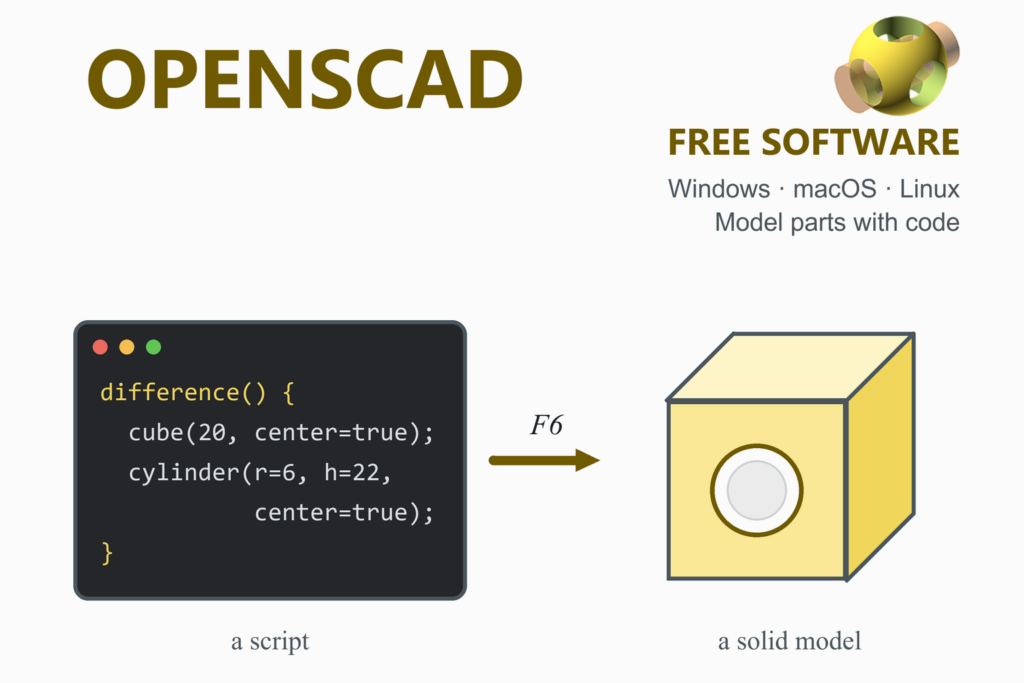
OpenSCAD open source script
OpenSCAD is free software for creating solid 3D CAD models from a script, not by drawing: its site calls it something like a 3D compiler. It is released under the GPL version 2 and runs on Windows, macOS and Linux. The stable release is from 2021, and the project builds newer snapshots almost daily.
- Free version: the whole program is free, with no restrictions.
- Formats: STL and OFF, plus AMF (since version 2015.03) and 3MF (since 2019.05), according to the manual.
- Good for: parametric parts you want to regenerate in many sizes, and for people who think in code. Not for: sculpting or freehand shapes.
Blender open source mesh
Blender is a free, open-source 3D creation suite licensed under the GPL, with modelling tools for creating, transforming, sculpting and editing meshes. It is a polygon-mesh modeller, not a parametric CAD program, so it suits organic shapes and the repair and reshaping of meshes rather than parts defined by exact dimensions. The current version is 5.2 LTS; Blender 5 needs Apple Silicon on a Mac.
- Free version: the whole program is free for any purpose, commercial use included.
- Formats: STL, OBJ and PLY among others; the manual says STL is commonly used for loading into 3D printing software. The free 3D-Print Toolbox extension checks and repairs meshes for printing.
SolveSpace open source parametric
SolveSpace describes itself as a free (GPLv3) parametric 3D CAD tool. Its latest stable version when this was checked (1 November 2026) was 3.3, released on 20 October 2026, with downloads for Windows (no installation needed, you run the .exe), Mac and Linux.
- Free version: the whole program is free.
- Formats: the home page lists STL or other triangle meshes for 3D printing, STEP or STL for CAM, and DXF, PDF and SVG for 2D parts.
- Good for: constraint-driven parts in a small, quick program. It has a smaller community and fewer features than FreeCAD.
Shapr3D Basic free with limits direct and parametric
Shapr3D’s free version, called Basic in its help centre, runs on Windows, iPadOS and macOS and offers 2D sketching with constraints and 3D solid modelling. Its modelling combines push-pull editing with a parametric history and is built on the Siemens Parasolid kernel.
- Limits: a maximum of two projects, and exports limited to low-resolution STL and 3MF files. Under its terms the free version is for non-commercial, personal use only. It is free for students and educators.
- Watch out for: the two-project limit is tight for anything beyond a trial, and Shapr3D’s own pages describe its plans in more than one way, so check the current plan table.
How to Choose
- Start with what you are allowed to do. If you sell what you print, or design for an employer or a client, check the free terms first: Fusion’s personal-use licence, Onshape Free and Shapr3D Basic are all for non-commercial use, and Onshape Free makes everything public. FreeCAD, OpenSCAD, Blender and SolveSpace are open source and free for any use.
- Decide how you want to work. Sketch and dimension (FreeCAD, Fusion, Onshape, SolveSpace, Shapr3D), write code (OpenSCAD), push building blocks (Tinkercad) or push vertices (Blender).
- Think about where it runs. Onshape and Tinkercad need only a browser; Shapr3D suits a tablet; FreeCAD, OpenSCAD, Blender and SolveSpace run on your own computer.
- Check the exports. Slicers take STL and 3MF. Every tool above names STL; 3MF is named by Fusion, Onshape, OpenSCAD and Shapr3D. STEP carries exact geometry between CAD programs and is named by FreeCAD, Fusion, Onshape and SolveSpace.
- Start with one and keep your files portable. Save a STEP copy of important parts, so you are never locked in to one program.
After the Model: Repair, Slice, Print
- Check the mesh. If the slicer complains of holes or non-manifold edges, repair the model with MeshLab or Blender’s 3D-Print Toolbox (see the Blender guide).
- Slice it. Open the STL or 3MF in a slicer: Orca Slicer, PrusaSlicer, Cura, Creality Print, ElegooSlicer, QIDI Studio, Snapmaker Orca or Anycubic Slicer Next.
- Check the strength. For a part that carries load, the beam deflection calculator, factor of safety calculator and stress and strain calculator give a first check before you print.
Frequently Asked Questions
What is the best free CAD software for 3D printing?
There is no single best one. FreeCAD is the strongest fully free option for mechanical parts, because it is open source, has no restrictions and is parametric. Onshape Free and Fusion for Personal Use are capable but only for non-commercial use. Tinkercad is the easiest for beginners, OpenSCAD suits people who like code, and Blender suits organic shapes and mesh repair. The right choice depends on what you make, whether you sell it, and how you like to work.
Is FreeCAD really free, even for commercial use?
Yes. FreeCAD’s website promises no sign-up, no paywall and no restrictions, and the project’s documentation says it can be used freely for any kind of purpose. The program is released under the LGPL.
Can I use Autodesk Fusion for free for 3D printing?
Autodesk offers a free personal-use licence for hobbyists, for home-based, non-commercial use. Autodesk’s pages describe a revenue limit of US$1,000 a year, a limit of 10 active editable documents and some features that are limited or missing, and they list STEP, 3MF and STL export as available. The terms have changed over the years, so read the current terms on Autodesk’s page before you rely on the licence.
Is Onshape free? What is the catch?
Onshape has a free plan for non-commercial use. The catch is that all documents created on it are public and, under Onshape’s terms, licensed to anyone who can see them to use, copy, modify and sell. Private data and commercial use need a paid plan. It is a good fit for open-source projects and learning, not for private or commercial designs.
What is the easiest free CAD program for beginners?
Tinkercad is the one built for beginners and classrooms: it is free, runs in a web browser and works by combining simple shapes. When you outgrow it, a sketch-based parametric program such as FreeCAD, Onshape or Fusion is the next step.
Which free CAD is best for mechanical parts with exact dimensions?
A parametric CAD program, in which dimensions drive the shape and can be changed later: FreeCAD, Onshape Free, Fusion for Personal Use or SolveSpace. OpenSCAD also gives exact, repeatable parts, from a script instead of sketches. Blender is a mesh modeller and is not designed around exact dimensions.
Is Blender good for 3D printing?
Yes, for organic shapes, figurines and for repairing or reshaping meshes. It is free for any purpose, exports STL and OBJ, and has a free 3D-Print Toolbox extension that checks a mesh for printing faults. For parts with precise, editable dimensions, a parametric CAD program is usually a better tool.
Which file format should I export for 3D printing: STL, 3MF or STEP?
Slicers accept STL and 3MF. STL is the universal choice and is exported by every program in this guide. 3MF can carry more information than STL in one file and is exported by Fusion, Onshape, OpenSCAD and Shapr3D. STEP is for exchanging exact geometry between CAD programs, not for slicing, so keep a STEP copy of important parts as a backup.
Can I sell things I print from a model I designed in free CAD?
It depends on the licence of the program. FreeCAD, OpenSCAD, Blender and SolveSpace are open source and free for any use. Fusion for Personal Use, Onshape Free and the free version of Shapr3D are for non-commercial use, and Onshape’s free plan makes your documents public. SOLIDWORKS for Makers is a paid subscription that allows sales up to US$2,000 a year. Read the current terms of the program you use; this guide is not legal advice.
Is there a free CAD program that runs in a web browser?
Yes. Onshape’s free plan and Tinkercad both run in a browser, and Onshape also has iOS and Android apps. OpenSCAD has experimental WebAssembly builds that its download page describes as slow and without a preview or built-in GUI, so they are not a practical substitute for the desktop program yet.
More guides: FreeCAD · Blender · OpenSCAD · MeshLab · Orca Slicer · PrusaSlicer · Cura · Engineering calculators