
Spoolman: Track Your 3D Printer Filament, with Download and Install Guide
The free, self-hosted filament inventory that updates itself from Klipper and OctoPrint, with the newest version checked live on GitHub
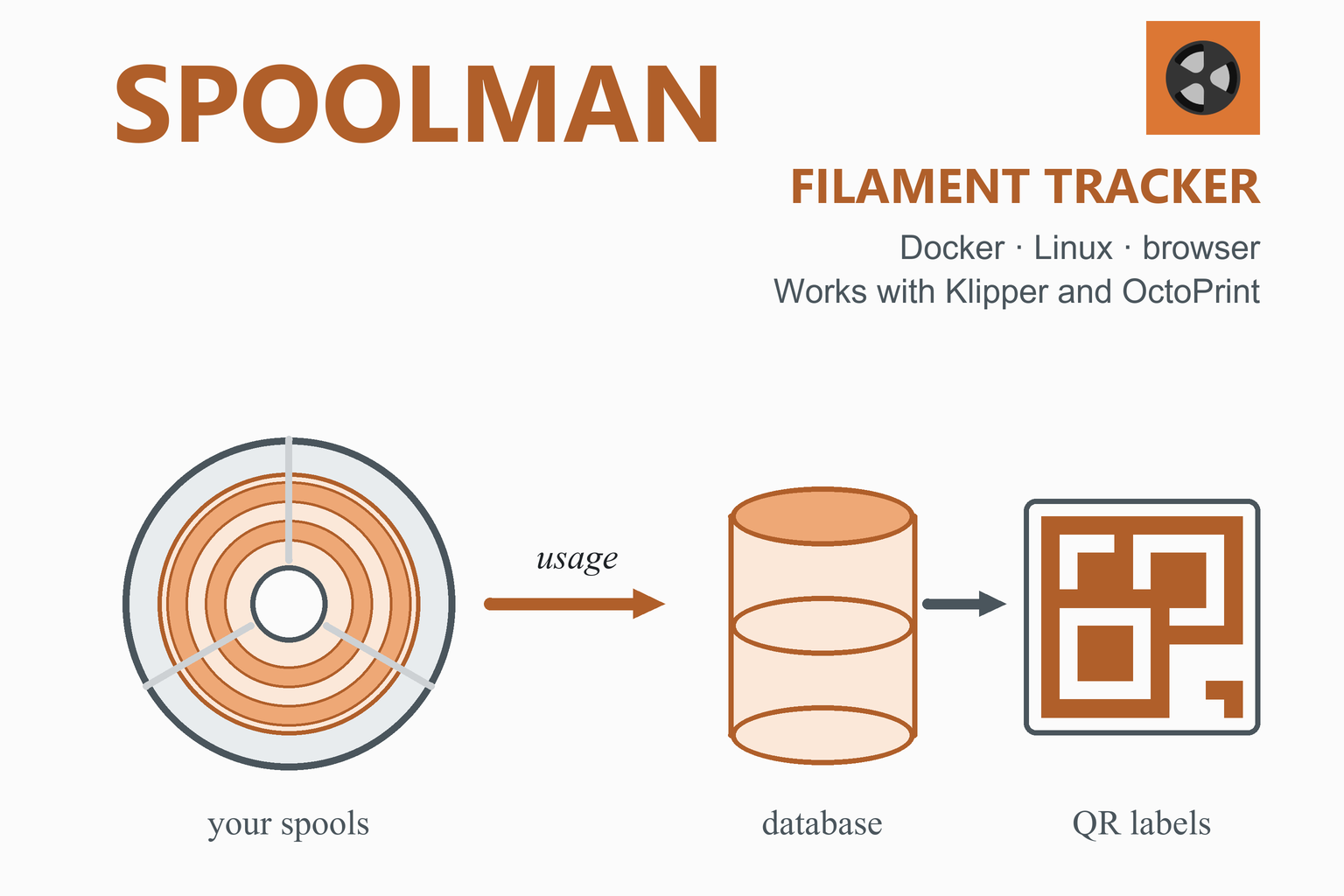
How much filament is left on that spool, and will it be enough for tonight’s print? Spoolman is a free web service that keeps a database of your filament spools and subtracts what each print uses, automatically, when it is connected to Klipper (through Moonraker) or OctoPrint. You run it on a Raspberry Pi, a home server or any computer with Docker, and use it from a browser, with search, labels with QR codes and a community database of filaments. This page checks GitHub when you open it and shows the newest version, then explains the two ways to install it, how to connect it to your printer software, and how to keep your data safe.
Download Spoolman
Previous versions
Loading the release list…
Two ways to install it
| Method | What you need | Notes from the Spoolman wiki |
|---|---|---|
| Docker (recommended) | A computer with Docker and Docker Compose, on any operating system that supports Docker. | The wiki calls Docker the recommended method, more reliable and portable. You do not download the zip file: the image already contains everything. |
| Standalone | A Linux computer with curl and unzip; the zip file from the box above is what the installer fetches. | Installs as a service. The wiki says standalone needs Linux, and that other systems would have to install from source. |
How this download box works
- It is live. Each visit asks GitHub for the recent releases of the official Spoolman project and shows the highest stable version. Your browser keeps the answer for ten minutes; the Refresh button asks again straight away.
- Every link goes to GitHub. The script only accepts download addresses on the official project’s release path. If GitHub cannot be reached, the box falls back to a link to the newest release.
- The checksum is the SHA-256 that GitHub computes for the file. Compare it with the value from
sha256sum spoolman.zipif you downloaded the zip by hand. - New versions come often, so check the box before you update; the update steps are further down.
What Is Spoolman?
The project describes Spoolman as a self-hosted web service to manage your 3D-printer filament spools and monitor their usage. It is a central database with a built-in web client, released under the MIT licence, and the newest versions add an NFC and RFID tag feature (see below). Because it has a REST API and sends live updates over WebSockets, other software can read and update it; the README names the integrations below.
Inventory
Records of filament types, manufacturers and each spool, with search, grouping and filters by manufacturer, material, location and more, plus custom fields.
Usage tracking
With Moonraker or OctoPrint connected, each print updates the spool that was used; several printers can update spools at the same time.
Labels
Design and print labels with QR codes to identify a spool at a glance; version 0.27.0 also links NFC and RFID tags to spools and filaments.
Filament database
A community database, SpoolmanDB, of manufacturers and filaments makes adding a new spool quicker.
What it works with
- Moonraker and most Klipper front ends: Mainsail, Fluidd, KlipperScreen and others, through Moonraker’s
[spoolman]setting. - OctoPrint, through a Spoolman plugin.
- OctoEverywhere and Home Assistant, and an MCP server for AI assistants, named in the README.
- Databases: SQLite (the default, enough for most users), PostgreSQL, MySQL and CockroachDB. The README also invites people to help translate the web client into 18 languages.
Spoolman has no login. The wiki says it has no authentication, so keep it on your home network, and read its Security page before you make it reachable from the internet.
Install Spoolman with Docker
- Install Docker by following the instructions for your operating system on the Docker website; Docker Compose is included.
- Make a folder called
spoolmanin your home directory, and open a terminal in it. - Create a file called
docker-compose.ymlwith the sample from the Spoolman wiki:version: '3.8' services: spoolman: image: ghcr.io/donkie/spoolman:latest # also on Docker Hub: donkieyo/spoolman:latest restart: unless-stopped volumes: # Mount the host machine's ./data directory into the container - type: bind source: ./data target: /home/app/.local/share/spoolman # do NOT modify this line ports: # Map the host machine's port 7912 to the container's port 8000 - "7912:8000" environment: - TZ=Europe/Stockholm # optional, defaults to UTC - Start it with
docker compose up -d. - Open the web page at
http://server.ip:7912, replacingserver.ipwith the address of the computer that runs Docker.
Check that your data is stored on the host. The wiki says the data folder you created must contain a spoolman.db file. If it does not, your data will be lost every time you update Spoolman.
Logs, settings and updates
- Logs:
docker compose logsshows the server log. - Settings: to change things such as the database connection, the data directory or the log level, add environment variables in the
environment:section and rundocker compose up -dagain (the wiki notes that a plain restart does not apply new environment variables). - Update: in the folder with the compose file, run:
docker compose pull && docker compose up -d - Test versions: an
edgetag of the image carries the newest, less tested code; the wiki warns you may not be able to go back to an older version because the database layout can change.
Install Spoolman Standalone on Linux
The wiki’s one-step installer downloads the latest release zip and runs its install script. It needs curl and unzip. Run it from your home directory. As with any script, you can read the zip’s scripts/install.sh first.
mkdir -p ./Spoolman && \
curl -s https://api.github.com/repos/Donkie/Spoolman/releases/latest | \
grep -o 'https://[^"]*spoolman.zip' | \
xargs curl -sSL -o temp.zip && \
unzip -o temp.zip -d ./Spoolman && \
rm temp.zip && \
cd ./Spoolman && \
bash ./scripts/install.sh- Settings live in a
.envfile in theSpoolmanfolder. After editing it, restart the service withsudo systemctl restart Spoolman. - Your data is stored outside the installation folder when you use the default SQLite database, in
~/.local/share/spoolman, so moving to a newer version does not delete it. - Updating means stopping the service, moving the old folder aside, installing the latest release into a new
Spoolmanfolder, copying the old.envacross and running the installer again. The wiki gives the whole command; copy it from the Installation page there. - Other systems: you can run it from source with Node.js 20 or newer, which the wiki marks as for advanced users.
Connect Spoolman to Klipper and OctoPrint
Klipper, with Moonraker
Moonraker, the web server of the Klipper ecosystem, sends filament usage to Spoolman. Add this to moonraker.conf, with the address of your Spoolman server, then restart Moonraker:
[spoolman]
server: http://192.168.0.123:7912
sync_rate: 5
The Moonraker documentation says server must be given and sync_rate, the time in seconds between updates, is 5 by default. Front ends can use this setting to give you a spool picker: Mainsail, Fluidd and KlipperScreen are among those the Spoolman README names. If you installed MainsailOS, Moonraker and Mainsail are already there.
Choose the active spool from a macro
Moonraker also provides a remote method that a Klipper macro can call to tell Spoolman which spool is loaded. This example, from the Moonraker documentation, goes in printer.cfg:
[gcode_macro SET_ACTIVE_SPOOL]
gcode:
  {% if params.ID %}
    {% set id = params.ID|int %}
    {action_call_remote_method("spoolman_set_active_spool", spool_id=id)}
  {% else %}
    {action_respond_info("Parameter 'ID' is required")}
  {% endif %}

[gcode_macro CLEAR_ACTIVE_SPOOL]
gcode:
  {action_call_remote_method("spoolman_set_active_spool", spool_id=None)}
With these, SET_ACTIVE_SPOOL ID=1 sets the spool that is tracked to spool 1, and CLEAR_ACTIVE_SPOOL stops tracking, which is useful when you unload filament.
OctoPrint
The Spoolman README links an OctoPrint plugin for the connection. Install it by following the plugin’s own instructions (OctoPrint plugins are normally added through its Plugin Manager), then enter the address of your Spoolman server in the plugin’s settings.
Using Spoolman
- Add a spool. The newer client splits the add flow into clear steps for manufacturer, filament and spool, offers quick-pick roll sizes, and can search SpoolmanDB so you do not type the details of a common filament by hand.
- Print as usual. With Moonraker or OctoPrint connected, the spool you marked as active is updated as the print uses filament.
- Label your spools. The label designer builds QR labels from any spool, filament or vendor field; stick one on each spool and scan it to find or select the spool.
- Keep a tidy library. The library remembers its grouping and sorting, has resizable columns and can filter by date and by colours and materials; a dashboard shows spools as cards grouped by storage location.
- Back up the database. With the default SQLite database your whole inventory is one
.dbfile in the data folder, which you can copy.
NFC and RFID tags (version 0.27.0)
The release notes for 0.27.0, published on 25 September 2026, say that spools and filaments can now have tags linked to them. A tag is identified by its hardware UID only, so blank NTAG stickers work, and so do read-only vendor tags such as those of Bambu, Creality, Qidi and Prusa. A reader posts the tag to Spoolman’s API.
Troubleshooting
| Problem | What to try |
|---|---|
| The web page does not open | Check that the container or service is running (docker compose logs, or sudo systemctl status Spoolman), that you use port 7912 and the computer’s own IP address, and that a firewall does not block the port. |
| Your data disappeared after an update | The data folder was not on the host. Make sure spoolman.db is in the folder you mounted; the wiki warns that otherwise the data is lost on every update. |
| The new client misbehaves | The README says to set SPOOLMAN_LEGACY_CLIENT=TRUE to return to the previous client. Both ship in every release and use the same API, so your data is untouched. The project asks you to report the problem. |
| Usage is not subtracted after a print | Check that the [spoolman] section is in moonraker.conf with the right address, that Moonraker was restarted, and that a spool is set as active. |
| You changed an environment variable and nothing happened | With Docker, run docker compose up -d again; a plain restart does not pick up new environment variables. |
Frequently Asked Questions
What is Spoolman?
Spoolman is a self-hosted web service for managing your 3D-printer filament spools and monitoring their usage. It is a central database with a built-in web client, and it connects to Klipper (through Moonraker) and OctoPrint so that the filament each print uses is subtracted from the right spool automatically.
Is Spoolman free?
Yes. Spoolman is open source and released under the MIT licence. The developer maintains it in spare time and accepts sponsorship.
How do I install Spoolman?
The Spoolman wiki recommends Docker: create a docker-compose.yml with the sample from the wiki, run docker compose up -d and open port 7912 in a browser. There is also a standalone installer for Linux that downloads the latest release zip and installs it as a service. Both ways are described step by step in this guide.
Which port does Spoolman use?
In the sample compose file, the host’s port 7912 is mapped to the container’s port 8000, so you open http://server.ip:7912. Moonraker’s configuration example also uses port 7912. You can change the port mapping in the compose file, or the port setting in the .env file of a standalone install.
How do I connect Spoolman to Klipper or Mainsail?
Add a [spoolman] section to moonraker.conf with server: set to the address of your Spoolman server (for example http://192.168.0.123:7912) and restart Moonraker. Moonraker then sends filament usage to Spoolman, and front ends such as Mainsail, Fluidd and KlipperScreen can offer a spool picker. A pair of Klipper macros that call Moonraker’s spoolman_set_active_spool method lets you choose the active spool from G-code.
Does Spoolman work with OctoPrint?
Yes. The Spoolman README links an OctoPrint plugin for the integration, and also lists OctoEverywhere and Home Assistant. Install the plugin by following its instructions and enter the address of your Spoolman server in its settings.
Where does Spoolman store my data, and how do I back it up?
By default in a single SQLite database file called spoolman.db. With Docker it is in the data folder that you mount into the container, and the wiki warns that if that file is not on the host, the data is lost whenever you update. A standalone install keeps it in ~/.local/share/spoolman. Copy the file to back it up. PostgreSQL, MySQL and CockroachDB are supported as alternatives.
Does Spoolman need a login? Is it safe to put on the internet?
It has no authentication, according to the wiki, so anyone who can reach the page can read and change your inventory. Keep it on your home network, and read the Security page of the Spoolman wiki before you expose it outside your network.
How do I update Spoolman?
With Docker, go to the folder with the compose file and run docker compose pull && docker compose up -d. For a standalone install, the wiki gives a command that stops the service, installs the latest release and keeps your .env file; the SQLite data lives outside the installation folder, so it is kept.
Can I use Spoolman without Klipper or OctoPrint?
Yes. The built-in web client lets you create, edit, search and group spools, print QR labels and design them, with or without a printer connected, and you update the remaining weight yourself. The REST API allows other software to read and update the data too.
More guides: Klipper install guide · MainsailOS · OctoPrint and OctoPi · Marlin firmware · UVtools · Anycubic Slicer Next · Orca Slicer · Engineering calculators